How tourists choose restaurants on Google Maps in regional Victoria
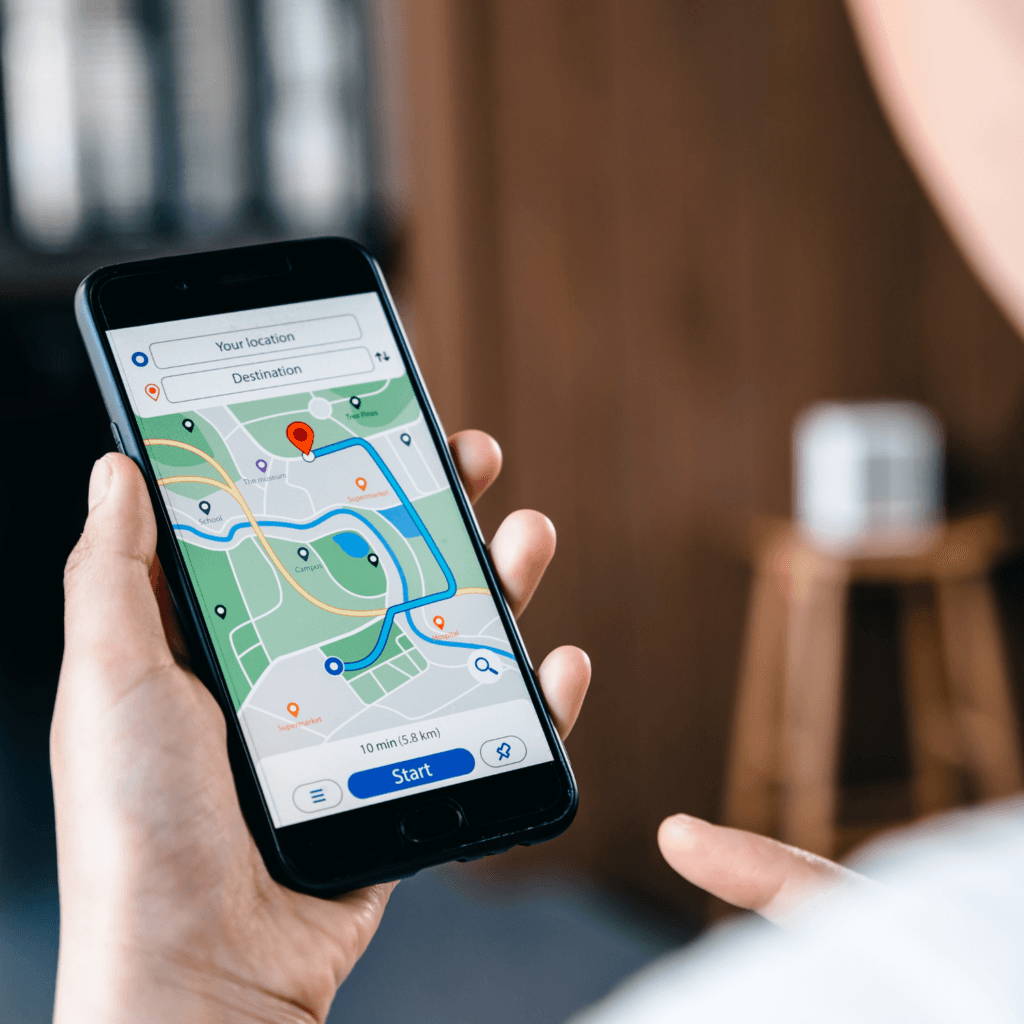
When someone drives to Bright for the weekend, they don’t wait until they’re hungry to think about where to eat. By the time they’re walking down the main street, the decision is often already made. They searched earlier – maybe at home the night before, maybe on the road – and they picked a shortlist from Google Maps.
If your restaurant wasn’t on that shortlist, you weren’t considered.
This is the reality of how dining decisions work in regional Victoria now.
Google Maps isn’t just a backup tool for people who can’t find anything. It’s where most visitors begin. And the gap between restaurants that show up well and restaurants that don’t can mean the difference between a full Saturday service and a half-empty one.
This article explains exactly what tourists are doing when they search, what they look at, and what causes them to choose one restaurant over another – so you know what to focus on.
How tourists search for restaurants in regional Victoria – and when
Most visitors planning a trip to the Yarra Valley, Alpine region, High Country, or Gippsland don’t leave dining to chance. They research. They open Google Maps, zoom in on the town they’re visiting, and start comparing what comes up.
That search can happen at three different moments – and your profile needs to perform at each one.
1. Before the trip – the planning search
Someone planning a weekend in Bright, Milawa, or Healesville opens Google Maps mid-week and browses what’s there.
They compare photos, read reviews, and shortlist two or three venues.
This is your highest-stakes moment – if you’re not found here, you’re not considered.
⬇️
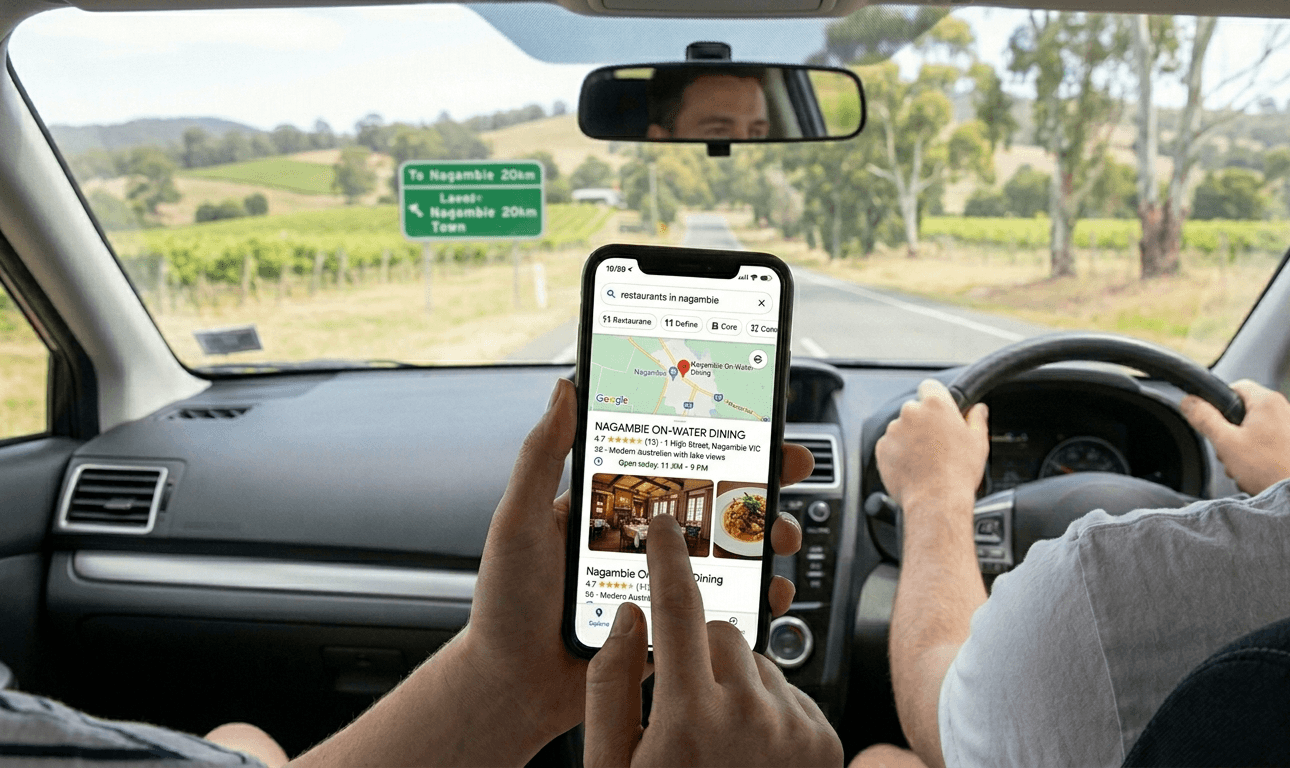
2. On the road – the quick decision search
A passenger searches
“restaurant Wangaratta” or
“lunch stop near Myrtleford”
The decision is made in under a minute – based on what’s visible:
photos, rating, and whether you’re open right now.
⬇️
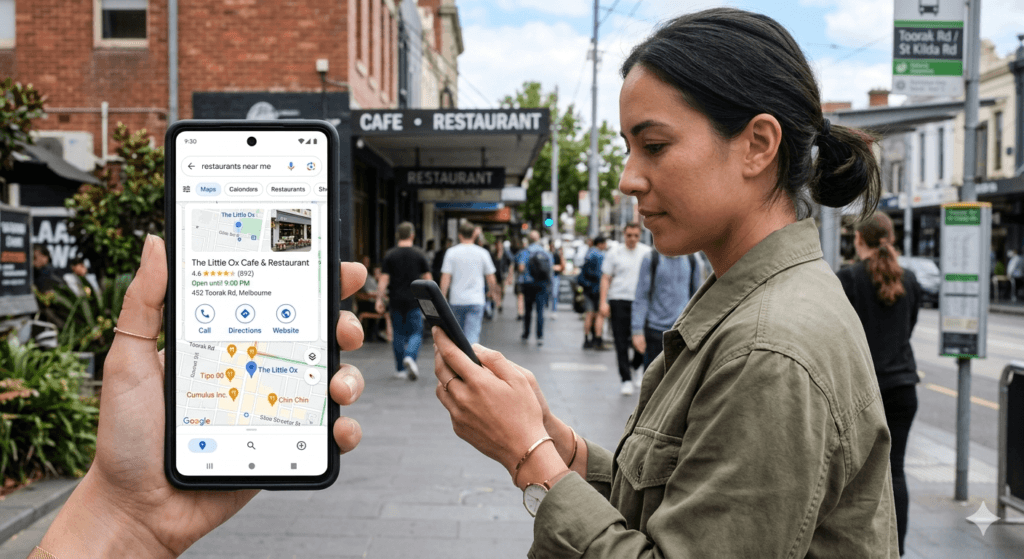
3. In town – the “near me” search
They’ve arrived in Mansfield, Mount Beauty, or Yea.
They open Google Maps, search “restaurant near me”, and choose from the top results.
A few taps – and they walk in the door.
Why this matters for your profile
Each of these searches has different urgency but the same starting point: Google Maps. A well-optimised Google Business Profile for regional Victoria helps you show up and look convincing at all three moments – not just one.
What tourists actually look at when choosing a restaurant on Google Maps
When a tourist taps your listing, they spend about 20–30 seconds deciding whether to consider you. Here’s what they look at – in the order it matters.
1. Photos – the first and most powerful signal
Photos load immediately.
Tourists assess atmosphere, food quality, and whether the venue matches the trip they’re on.
A dark interior shot from 2020, a menu board as the hero image, or no photos at all – all of these cause an immediate scroll past.
What works: a strong exterior shot, clear food photos, and at least one image that conveys atmosphere. See the Fix Your GBP in 30 Minutes guide for the exact photo checklist,
or READ MORE What Photos Work Best on Google Business Profile for Cafés, Restaurants and Wineries
2. Star rating and review count – the trust filter
Most tourists won’t seriously consider a restaurant below 4.0 stars. But the review count matters just as much as the rating. A 4.7 with 11 reviews feels less reliable than a 4.4 with 160. In a town like Beechworth or Rutherglen, 40 solid reviews can make you clearly the strongest option in the Maps pack.
3. What the reviews actually say
Tourists read recent reviews looking for specific reassurance: “worth the drive,” “best meal in the High Country,” “great for a group.”
Reviews that mention regional context are especially persuasive.
And if they scroll the reviews and see zero replies from the owner, the profile feels abandoned.
Learn how to build this with the Google reviews guide for restaurants.
4. Opening hours – the critical practical check
If your hours are wrong, outdated, or blank, tourists will assume you’re closed.
In regional Victoria- where most tourist traffic falls on weekends and long weekends – incorrect public holiday hours silently lose bookings every time.
This is one of the easiest fixes and one of the most commonly missed.
5. Menu – confirming the decision before they visit
Your menu on Google Business Profile should be simple, clear, and easy to read on a phone. Use the built-in menu section with a few key dishes and prices, rather than relying only on PDFs or photos.
“Is there something I actually want to eat?”
People don’t read menus in detail. They scan quickly for:
- familiar dishes
- price range
- something that fits the moment
If it’s clear, they choose you.
If it’s confusing or missing, they move on.
6. Business description – the deciding detail
Tourists who are interested but not yet decided will skim your description.
Generic text like “family restaurant” tells them nothing.
A description like “wood-fired regional dining with views across the King Valley” tells them exactly what they’re getting and why it’s worth choosing.
See how to write a GBP description that converts.
7. Review replies – the final trust signal
Tourists notice whether owners respond to reviews. A profile with thoughtful, personal replies signals a well-run venue. It makes them feel confident before they’ve even booked.
See how to ask for and respond to reviews.
8. Recent updates (activity and freshness)
Tourists also notice whether your profile feels current.
Recent Google Business Profile updates signal that:
- your venue is active
- your information is up to date
- something is happening now
Simple updates — like weekend specials, seasonal menus, or upcoming events — help reinforce that your restaurant is worth visiting right now, not just in the past.
If you’re not sure what to update
If you’re unsure what to post or how often to update your profile, this guide explains what works best in practice:
👉 What Google Business Profile Updates Work Best for Cafés, Restaurants and Wineries
Where tourists are searching in regional Victoria
Some parts of regional Victoria see consistently higher search activity – especially in popular tourism corridors like the east and north-east.
These regions attract strong Google Maps search volume, particularly on weekends, holidays, and during peak seasons.
Eastern & north-east Victoria
Bright & Alpine region
“restaurant Bright” · “lunch near Falls Creek”
Beechworth, Milawa & King Valley
“restaurant Beechworth” · “Milawa food trail”
Wangaratta & Myrtleford
“restaurant Wangaratta” · “restaurant Myrtleford”
Mount Beauty & High Country
“restaurant Mount Beauty” · “restaurant Mansfield”
Rutherglen & wine country
“winery lunch Rutherglen” · “restaurant Rutherglen”
Yarra Valley & surrounding regions
Healesville & Yarra Valley
“restaurant Healesville” · “winery lunch Yarra Valley”
Mornington Peninsula
Mornington, Red Hill & surrounds
“restaurant Mornington Peninsula” · “winery restaurant Red Hill”
“lunch Mornington Peninsula”
Geelong & the Bellarine Peninsula
Geelong, Barwon Heads & coastal towns
“restaurant Geelong” · “café Barwon Heads”
“restaurant Bellarine Peninsula”
Western & central Victoria
Daylesford & Hepburn Springs
“restaurant Daylesford” · “café Hepburn Springs”
Ballarat & Bendigo
“restaurant Ballarat” · “restaurant Bendigo”
North-west & Murray region
Mildura & surrounds
“restaurant Mildura” · “lunch near Murray River”
Why this matters
In many of these areas, Google Maps shows only a small number of options.
If your Google Business Profile is well-optimised, you’re part of that shortlist.
If it’s incomplete or unclear, you’re not shown – even if your venue would have been a better choice.
This pattern applies across regional Victoria – wherever people are travelling, they search on Google Maps and choose from what they see.
Why regional restaurants are different from metro restaurants
The dynamics in regional Victoria are fundamentally different from Melbourne — and in many ways more favourable if you take your Google Business Profile seriously.
Melbourne vs Regional Victoria
| Melbourne (metro) | Regional Victoria |
|---|---|
| Dozens of venues competing within a small radius | Often only 3–8 venues in an entire town |
| Many profiles with 300+ reviews | Many profiles have under 50 reviews |
| High competition to appear in the Google Maps pack | Modest effort can move you into the Maps pack |
| Constant competition for attention | One strong profile can dominate visibility |
Why this matters for your venue
In regional Victoria, visibility on Google Maps carries more weight.
With fewer competitors and less optimised profiles, even small improvements – better photos, consistent reviews, accurate information – can significantly change how often your venue is seen and chosen.
Higher stakes mean stronger decisions
A regional visit isn’t casual.
Someone travelling from Melbourne to Bright, Beechworth, or the Yarra Valley has already invested time, fuel, and often accommodation. They’re not looking to take risks.
They want reassurance.
That reassurance comes from:
- strong, current photos
- consistent and recent reviews
- a clear description of the experience
These signals matter more in regional areas than they do in the city.
Seasonal timing matters more than in metro areas
Search behaviour in regional Victoria isn’t constant – it moves with the seasons.
In areas like north-east Victoria, search volume increases significantly during:
- autumn (foliage season)
- ski season (Mount Hotham, Falls Creek)
- long weekends and school holidays
- spring and summer travel periods
If your Google Business Profile is outdated during these peak periods, you miss the opportunity entirely.
Staying active and up to date ensures your profile performs when demand is highest.
You can see how this works in practice on my [regional Victoria Google Business Profile services page].
In regional Victoria, you don’t need to outperform dozens of venues – you need to be one of the few that shows up well.
Why tourists skip your restaurant on Google Maps — even if the food is great
These are the silent profile issues that cost regional restaurants bookings they never know they lost.
What tourists see – and what happens next
| What tourists see | What they do — and why |
|---|---|
| No photos or dark /blurry photos | Scroll past immediately. They choose the venue with clear, appetising images – even if yours is better. First impressions on a small screen decide everything. |
| Low review count (under 20–30) | Feel uncertain. A 4.8⭐ rating with 9 reviews in an unfamiliar town isn’t convincing. They need volume to trust consistency. |
| Hours look wrong or are missing | Assume you might be closed and move on. No one wants to risk turning up to a locked door — especially when travelling. |
| No replies to any reviews | Assume the venue is unattended or that no one is paying attention. An unanswered negative review is particularly damaging. |
| Generic or missing description | Have no reason to choose you over another option. Your description is your chance to explain the experience — if it’s weak, you lose that advantage. |
| Wrong primary category | Don’t find you at all. If your category is incorrect, you may not appear in the searches your customers are actually using. |
✨ Important to understand
None of these issues reflect how good your food actually is.
They reflect how your venue appears on Google Maps – and that’s what people are deciding from.
What this means for you
The good news: every one of these issues is fixable. None of them requires a marketing agency.
Most can be resolved in a single focused session – which is exactly what the Fix Your GBP in 30 Minutes guide was built for.
On Google Maps, you’re not being judged on what you serve — you’re being judged on what people can see.
How to improve your restaurant’s Google Maps visibility in regional Victoria
If your restaurant isn’t showing up – or isn’t being chosen – these are the areas to focus on first
1. Fix your photos first
Start with what people see immediately.
Add:
- a clear exterior photo (so guests can find you)
- 3–5 strong food photos
- at least one atmosphere shot
Remove anything dark, blurry, or outdated.
This single change often has the most visible impact on how people respond to your Google Maps listing.
2. Audit and correct your opening hours
Check every detail:
- all days of the week
- public holiday hours
- kitchen closing times
- seasonal changes
Tourists rely on this information.
Incorrect hours are one of the fastest ways to lose a booking.
3. Build your review count consistently
In regional towns, review volume matters.
A simple system works best:
- QR code on tables
- printed on receipts
- visible near the exit
Even moving from 15 to 40 reviews can significantly improve how your restaurant compares on Google Maps.
👉 See how to set up a Google Review QR code for restaurants
4. Fix your menu – make it easy to understand at a glance
Your menu is often the final step before someone chooses your restaurant.
Most people check it quickly before deciding – over 75% of customers look at menus before choosing where to eat .
They’re not reading it in detail.
They’re just trying to answer one question:
👉 “Is there something here I want to eat?”
What to focus on
Make your menu:
- easy to read on a phone (not a tiny PDF)
- up to date
- clearly structured (lunch, dinner, drinks)
- simple to scan in a few seconds
Menus aren’t just information – they influence how people feel about your restaurant and whether they trust it .
5. Rewrite your business description
Be specific.
Instead of:
“Great food and friendly service”
Say:
“Wood-fired regional menu in a 1900s stone building in Beechworth”
Your description should clearly explain:
- what you offer
- what it feels like
- why it’s worth choosing
👉 See the Google Business Profile description guide
6. Keep your profile active with regular updates
An active profile signals that your restaurant is current, open, and worth visiting.
Simple updates can include:
- weekend specials
- seasonal menu changes
- live music or events
- public holiday hours
You don’t need to post constantly – but consistent, relevant updates help both Google and potential guests see your venue as active and up to date.
👉 If you’re not sure what to post, I’ve created ready-to-use Google Business Profile update templates for restaurants and wineries to make this simple and quick.
7. Reply to your reviews – especially recent ones
You don’t need to reply to everything.
Focus on:
- recent reviews
- any negative feedback
Keep replies short, natural, and genuine.
A profile with active responses feels more trustworthy and well-managed.
👉 The review system guide shows how to respond without sounding scripted
8. Check your categories and attributes
Make sure your profile is set up correctly.
This includes:
- the right primary category (e.g. “Restaurant”)
- relevant attributes (outdoor seating, bookings, accessibility)
These affect whether you appear in the searches people are actually using.
Download the FREE Checklist (PDF)
Not sure where your profile stands right now?
A visibility check shows you exactly what tourists see when they find your restaurant on Google Maps — and what’s most worth improving.
No obligation. No technical jargon.
If you’re unsure whether you need help, this guide may help: Should you hire someone to manage your Google Business Profile?
Frequently asked questions
Do tourists really use Google Maps to choose restaurants, or do they rely on recommendations?
Google Maps has largely replaced word-of-mouth for visitors in unfamiliar towns. When someone doesn’t have a local contact to ask, Maps is the default – and this applies especially to regional areas like the High Country, Yarra Valley, and Mornington Peninsula, where visitors are often exploring for the first time.
How many reviews does a regional restaurant need to be competitive on Google Maps?
It depends on the town. In a small alpine village, 25–40 solid reviews may already make you the strongest option. In larger regional centres like Wangaratta or Bairnsdale, 80–150 reviews is a stronger benchmark. The key is consistent growth – a few reviews a month compounds significantly over a year. See how to get more Google reviews for your restaurant.
What’s the single most important thing to fix on my Google Business Profile?
Photos/Videos. They’re the first thing tourists see, and the fastest way to either earn or lose their interest. After that, focus on hours accuracy and review count. The Fix Your GBP in 30 Minutes guide walks you through all six critical fixes in order.
Does responding to reviews actually affect my Google Maps ranking?
Yes – in two ways. Google treats review responses as a signal that your profile is actively managed, which supports ranking. And tourists read your replies before they visit, so thoughtful responses directly influence booking decisions. It’s a small time investment with a compounding effect.
My restaurant is in a small north-east Victoria town. Is it worth investing in Google Maps visibility?
Especially so. In smaller towns, the Google Maps pack may show only two or three venues. If your profile is well-optimised, you can become the clear standout option – not one of dozens competing. The smaller the town, the bigger the proportional benefit of a strong profile.
Can I improve my Google Maps visibility without paying for ads?
Yes – completely. Google Maps ranking (the local pack) is not influenced by paid ads. It’s based on profile completeness, relevance to the search, and reputation signals like reviews. All of these are free to improve. If you’d like help with this, see the regional Victoria GBP services page.
How often should I update my Google Business Profile?
At minimum: check your hours before every public holiday or seasonal change. Add a new photo every week. Post a Google Post once or twice a month. It sounds like a lot, but each of these takes five -10 minutes – and the compound effect on how your profile performs over a tourist season is significant.
Weronika Atkins is a Google Business Profile specialist working with hospitality venues across Melbourne and regional Victoria — including restaurants, cafés, wineries. Read more about my approach.