
7 Reasons Your Google Business Profile Gets Suspended in Australia (And How to Fix It)
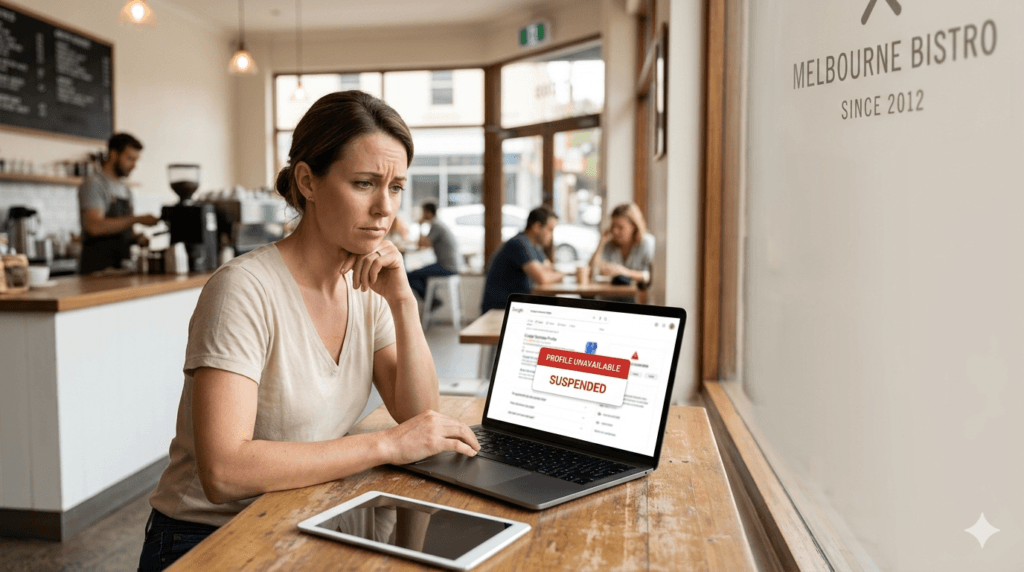
One day your café is showing up on Google Maps. The next day it isn’t.
No warning. No explanation. Just gone.
If your Google Business Profile has been suspended in Australia, you’re not alone – and in most cases, the cause is something fixable. But the process of understanding what went wrong, correcting it, and getting reinstated isn’t always straightforward.
The stakes are real. A suspended profile means:
- Potential guests can’t find you on Google Maps
- Your phone number disappears from search results
- Your reviews, photos and hours vanish from public view
- Bookings quietly drop off – often before you even notice
This article covers the seven most common reasons Google suspends Business Profiles – with real examples for cafés, restaurants and wineries – and exactly what to do about each one.
If your profile is already suspended and you’re not sure where to start, I offer straightforward support in Melbourne to help work out the cause and guide you through the fix.
First: What Does a Suspension Actually Mean?
Before getting into causes, it helps to understand what you’re actually dealing with.
Suspended vs. Not Showing vs. Disabled
A lot of venue owners I speak with aren’t sure whether their profile is suspended or just not ranking well. They’re very different situations.
| Status | What It Means | Visible to Customers? |
|---|---|---|
| Suspended | Google has removed your listing pending review | No |
| Not verified | Profile exists but hasn’t been confirmed | Limited |
| Not showing in results | Profile is live, but not ranking | Sometimes |
| Disabled | Serious account-level action | No |
A suspension sits in the middle – serious, but in most cases resolvable. The key is understanding why it happened before attempting to fix it. That’s where most people go wrong.
Why suspensions are happening more often now
Google now uses more automated systems to review and flag business listings.
That means profiles can be suspended more quickly – sometimes without a clear explanation – if something looks inconsistent or unusual.
This is happening because Google is trying to catch fake listings, spam, and misleading profiles at scale. But real hospitality venues can get caught in those checks too.
Small things can trigger it, such as:
• name or address inconsistencies
• duplicate listings
• a batch of sudden profile edits
• low activity followed by changes
It doesn’t always mean your business has done something wrong. But it does mean Google is looking much more closely at trust, consistency, and accuracy than before.
This is also why suspensions can take longer to resolve now. Appeals often require more documentation, and review times can be slower during enforcement waves.
For cafés and restaurants, that matters – because every week off Google Maps can mean lost visibility, lost calls, and lost bookings.
That’s why it’s so important to keep your profile accurate, stable, and active over time — not just set it up once and leave it.
7 Reasons Why Google Business Profiles Get Suspended in Australia
Reason 1 — Inconsistent Business Information
What it is
Google cross-references the details on your profile against everything else it can find about your business online – your website, social media, directories, booking platforms. If your business name, address, or phone number doesn’t match across these sources, it raises a flag.
In the local SEO world this is called a NAP issue – Name, Address, Phone. It sounds minor. It isn’t.
Real-world example
A Melbourne restaurant lists its address as “Level 1, 42 Smith Street” on Google but “42 Smith Street, Level 1” on its website and “Smith St” on a booking platform. To a human, identical. To Google’s systems, three different addresses.
How to fix it
- Audit every place your business details appear online
- Check your website, Facebook, Instagram, TripAdvisor, Yelp, and any booking platforms
- Make everything consistent — same format, same spelling, same phone number
- Start with your website, then work outward
Quick tip: Search your business name on Google and look at every result on the first page. That’s where the inconsistencies tend to hide.
Reason 2 — Violating Google’s Guidelines
What it is
Google has specific guidelines for representing your business – and two violations come up constantly in hospitality.
Keyword stuffing in your business name — adding words to your listing name that aren’t part of your actual trading name. This is one of the fastest ways to trigger a suspension.
Incorrect or misleading categories — choosing categories that don’t accurately reflect what your business primarily does.
Real-world example
A café lists its name as “The Corner Café – Best Brunch Melbourne CBD” on Google. The actual trading name is simply “The Corner Café.” That addition is a direct guideline violation and a common suspension trigger.
How to fix it
- Your business name on Google must match your real-world signage exactly – nothing added, nothing removed
- Your primary category should reflect what you primarily are: a café is a café, a winery is a winery
- Remove any keywords, suburbs, or descriptors from your business name field
Google’s rule: If it’s not on your shopfront sign, it doesn’t belong in your business name on Google.
Reason 3 — Duplicate or Conflicting Listings
What it is
If Google detects more than one listing for the same business – or listings that conflict with each other in address, name, or phone number – it may suspend one or both.
Duplicates happen more often than people realise.
How duplicates usually appear
- A previous owner created a listing that was never removed
- A staff member set one up years ago and forgot about it
- Google auto-generated a listing from third-party directory data
- You created a new listing without realising an old one still existed
Real-world example
A restaurant changed ownership two years ago. The previous owner’s listing is still live – different phone number, old address. Google sees two listings for the same location and suspends the newer one.
How to fix it
- Search your business name on Google Maps – look carefully for any listings you don’t recognise or manage
- If you find a duplicate, you can request ownership through your GBP dashboard
- If you can’t claim it, flag it for removal as a duplicate
- Once resolved, ensure only one verified listing exists for your location
Reason 4 — Address or Location Issues
What it is
Address problems are particularly common for hospitality venues in unusual premises — shared buildings, laneways, rural properties, or venues without standard street frontage.
Service-area businesses – catering operations, mobile food vendors – sometimes incorrectly list a residential address as a physical storefront, which directly violates Google’s address guidelines.
Real-world example
A Yarra Valley cellar door is located on a rural property down a long driveway. The listed address doesn’t precisely match what Google Maps shows. Guests report not being able to find it. Google flags the location as inconsistent and suspends the profile.
How to fix it
- Make sure your listed address precisely matches what Google Maps shows for your physical location
- For venues in shared buildings or laneways, include suite or floor numbers consistently
- For service-area businesses: set a service area instead of a physical address – do not list your home address as a storefront
- If guests regularly can’t find you, your pin placement may also need adjusting
Reason 5 — Website or Verification Problems
What it is
A profile linked to a website that’s down, redirecting incorrectly, or flagged for spam can trigger a suspension review. Similarly, if your verification lapses or was never properly completed, Google may question the legitimacy of the listing.
Real-world example
A restaurant’s website domain expired and was temporarily offline while the owner sorted out a hosting issue. During that window, Google’s systems flagged the profile as potentially invalid and initiated a review.
How to fix it
- Check your website is live and loading correctly right now
- Confirm the URL in your GBP matches your actual website exactly
- Check your profile shows as verified in your GBP dashboard – look for the blue tick
- If verification has lapsed, you’ll need to go through the verification process again
Worth checking: Go to your GBP dashboard right now and confirm your profile shows as verified. It takes 30 seconds and a lot of owners haven’t looked in months.
Reason 6 — Sudden or Unusual Changes to the Profile
What it is
Making multiple significant edits in a short period – changing your business name, address, category, and phone number all at once – can trigger an automated review. Google’s systems are designed to detect unusual activity, and a cluster of major changes looks suspicious.
Real-world example
A café undergoes a full rebrand. The owner updates the business name, address (they’ve moved), primary category, and website URL all in one session. Google flags the profile for review and suspends it pending verification.
How to fix it
- If you need to make significant changes, space them out over several days where possible
- After making major edits, monitor your profile closely for the following week
- Be prepared for a re-verification request – have your documents ready
- If suspension follows a batch of edits, this is likely the cause – address it through reinstatement with a clear explanation of the changes

Reason 7 — Inactivity and Low Trust Signals
What it is
A profile that sits untouched for months – no posts, no photo updates, no review responses, no edits – can gradually lose trust signals in Google’s system. Inactivity alone rarely causes a suspension, but it makes a profile significantly more vulnerable when combined with any of the other factors above.
Real-world example
A winery closes over winter and doesn’t touch its Google profile for four months. A user suggests an edit – incorrect opening hours – which Google automatically applies. The profile now shows wrong information. The owner doesn’t notice until guests arrive on days the cellar door is closed.
How to fix it
- Keep your profile active even during quiet periods and seasonal closures
- Update your hours before you close – don’t wait until you reopen
- Post occasional Google Updates – a photo, a seasonal note, anything
- Respond to reviews as they come in, even briefly
- An active profile signals to Google that a real, engaged business is behind the listing
How to Fix a Suspended Google Business Profile
If your profile is already suspended, the process matters as much as the fix itself. This is where most owners get it wrong – they jump straight to the reinstatement request without fixing the underlying issue first.
The Correct Order
Step 1 — Identify the cause first
Don’t change anything until you understand why it was suspended. Making further edits to a suspended profile can complicate the reinstatement process.
Step 2 — Fix the underlying issue
Whether that’s inconsistent information, a guideline violation, or a duplicate listing – correct it properly before requesting reinstatement.
Step 3 — Submit a reinstatement request
Go to the Google Business Profile Help Centre and submit a formal reinstatement request. Be factual and specific about what was wrong and what you’ve corrected.
Step 4 — Wait and monitor
Reinstatement can take anywhere from a few days to several weeks. Google will notify you by email. Don’t keep submitting requests – one well-prepared request is better than multiple rushed ones.
What NOT to Do
- Don’t create a new listing while your suspended one is under review
- Don’t make further changes to the profile while awaiting a decision
- Don’t submit multiple reinstatement requests – it doesn’t speed things up and can slow them down
- Don’t ignore it – suspended profiles don’t reinstate themselves
If you’re wondering how long this process takes, I’ve explained it here: How long it takes to fix a Google Business Profile suspension in Melbourne.
When to Get Help
Most suspensions are fixable. But the process requires patience, attention to detail, and getting the reinstatement request right the first time.
If any of these apply to your situation, it’s worth getting someone across it who does this regularly:
- You’re not sure what caused the suspension
- A previous reinstatement request was rejected
- Your situation involves a duplicate listing, an ownership dispute, or an address that doesn’t fit neatly into Google’s system
- You don’t have the time to work through it carefully and get it right
Understanding the specific reason for your suspension – not just guessing – is what makes the difference between a reinstatement that works and one that doesn’t.
If you need Google Business Profile support, I work through these situations with café, restaurant and winery owners across Victoria in a clear, fixed-fee way – no contracts.
Frequently Asked Questions
What do I do if my Google Business Profile is suspended?
If your Google Business Profile is suspended, the most important step is to identify the cause before taking action.
Start by reviewing your profile against Google’s guidelines and checking for common issues like incorrect business details, duplicate listings, or recent changes.
Then:
– Fix any inconsistencies (name, address, phone, website)
– Make sure your business information matches across all platforms
– Gather proof of your business (registration, signage, address)
– Submit a reinstatement request through Google
Avoid making further edits while your appeal is under review, as this can delay the process.
How long does a Google Business Profile suspension last?
There is no fixed timeframe – it depends on the issue and how well it’s resolved.
Typical timelines:
3–7 days for simple cases with correct documentation
1–3 weeks for standard reinstatements
Up to 4–6 weeks (or longer) for complex cases or rejected appeals
Google may review appeals within a few business days, but delays are common depending on workload and case complexity.
Why is my Google Business account suspended due to suspicious activity?
“Suspicious activity” usually means Google detected unusual or inconsistent changes, even if they were unintentional.
Common triggers include:
– Changing business name, address, and category at the same time
– Frequent edits to core business information
– Mismatch between your profile and your website or directories
– Using a virtual office or unverified address
– Keyword stuffing in your business name
Google’s systems are designed to protect users from misleading or fake listings, so anything that looks inconsistent or unnatural can trigger a suspension.
Can I fix a suspended Google Business Profile myself?
Yes, but only if the underlying issue is correctly identified before submitting an appeal.
Conclusion
A suspended Google Business Profile feels alarming – especially when your Maps visibility directly affects how guests find and choose your venue.
But in most cases, suspension happens for a specific, identifiable reason. And specific reasons have specific fixes.
The key is:
- Understanding what went wrong before attempting to correct it
- Following the reinstatement process carefully and in the right order
- Not making further changes while a review is underway
If your Google Business Profile is suspended, not showing, or incorrect, I offer simple, fixed-fee support to help identify the issue and guide you through the fix.
Fix your Google Business Profile in Melbourne →
Weronika Atkins is the founder of Veronika Presence, supporting cafés, restaurants and wineries across Melbourne and Victoria with Google Business Profile management and visibility.

Pingback: How Long Does It Take to Fix a Google Business Profile Suspension in Melbourne?