
My Café Isn’t Showing on Google Maps? 7 Fixes Australian Venues Can Try Today
Someone searches “café near me” on their phone.
Your café is 200 metres away.
But it doesn’t appear.
That’s a problem worth fixing – because that person will walk into the café that does show up. Not yours.
If your venue isn’t appearing on Google Maps, something is getting in the way. It’s rarely about the quality of your food or your service. It’s almost always a technical issue with your Google Business Profile.
The good news: most of these problems can be fixed today.
Here are the 7 most common reasons I see when I review café listings across Australia — and what you can do about each one.

First – Check These Two Things
Before jumping into fixes, do a quick check.
Search your venue name directly.
Open Google on your phone and type your café name. Does a profile appear on the right side? Does it show the correct address, hours, and photos?
Search “café near me” from your phone.
Make sure your location is on. Can you find your venue in the results? Where does it appear?
If your café doesn’t show in either search, or appears much lower than nearby competitors, keep reading.
Why This Actually Matters
Most people never scroll past the first three results on Google Maps.
If your café isn’t in that top section, you’re essentially invisible to anyone who doesn’t already know your name.
For hospitality venues in Australia, Google Maps is often the first place a new customer sees you – before your website, before Instagram, before anything else.
Getting this right matters.
7 Reasons Your Café Isn’t Showing on Google Maps
Fix 1: Your listing isn’t verified
This is the most common issue I find.
If your Google Business Profile isn’t verified, Google doesn’t fully trust it. An unverified listing may not show in search results at all — or it may appear with very limited visibility.
Verification tells Google: this business is real, it’s at this address, and someone is managing it.
How to fix it: Log in to your Google Business Profile account at business.google.com. Check the status at the top of your profile. If it says “Get verified” or shows a warning, follow the steps to complete verification.
Google usually verifies by video, phone call, or postcard, depending on your business type.
Fix 2: Your business category is wrong or too broad
Categories tell Google exactly what kind of venue you are.
If your main category is set to something too broad — like “Food establishment” or just “Restaurant” when you’re actually a specialty coffee café — Google may show other venues ahead of you for relevant searches.
This is one of the most overlooked issues I see in Australian hospitality profiles.
How to fix it: Go to your Google Business Profile and check your primary category. Be specific. If you’re a café, use “Café”. If you’re a coffee shop focused on espresso, “Coffee shop” may work better. Add secondary categories too — like “Breakfast restaurant” if you serve brunch.
The more clearly Google understands your venue, the better it can match you to the right searches.
Fix 3: Your listing has been suspended
Sometimes a Google Business Profile gets suspended — and the owner has no idea.
When this happens, your café can completely disappear from Google Maps. No warning, no notification. It just vanishes.
Common reasons Google suspends a listing:
- Address was changed too many times in a short period
- The business is listed at a shared address
- Business details don’t match what Google expects
- The profile was flagged for a guideline issue
How to fix it: Search your business name on Google. If no profile appears even when searching directly, log in to business.google.com and check if there’s a suspension notice. Google has an appeals process you can go through to reinstate the listing.
This one can take a little time to resolve — but it is fixable.
Fix 4: Your address details are inconsistent
Google cross-checks your information across the web.
If your café’s address appears differently on your website, Facebook, a booking platform, or a local directory — even something small like “St” versus “Street” — it can create confusion.
When Google isn’t sure which details are correct, it loses confidence in your listing. And lower confidence usually means lower visibility.
How to fix it: Check how your café’s name, address, and phone number appear across:
- Your website
- Facebook and Instagram
- Booking platforms like OpenTable or TheFork
- Local directories like Yellow Pages or True Local
Make sure everything matches exactly. Same format, same spelling, same phone number.
Fix 5: Your profile has low activity
Google pays attention to whether a profile looks active or abandoned.
A café that regularly adds photos, posts updates, and responds to reviews sends a signal that someone is managing the listing. That builds trust with Google — and trust influences visibility.
Many excellent venues in Australia have strong businesses but neglected Google profiles. The venue is busy and thriving, but the listing looks like nobody’s home.
How to fix it: Start small. Add a few new photos this week. Respond to your most recent reviews. If you have a seasonal menu or upcoming event, post it on your profile.
You don’t need to do this every day. But consistent small updates make a real difference over time.
If you’re not sure what to post, the Google Maps Visibility Kit for Cafés gives you 24 ready-to-use Google Business Profile templates and a simple posting system to keep your profile active.
Fix 6: You have no reviews — or you’ve never responded to one
Reviews are one of the strongest visibility signals on Google Maps.
A café with 80 reviews will almost always outrank a café with 4 — even if the food is equally good. It’s not entirely fair, but it’s how the algorithm works.
What also matters: whether you respond to reviews. Google sees review responses as a sign of an engaged, active business.
How to fix it: Ask your regulars. Most happy customers are willing to leave a review — they just never think to do it unless someone asks. A small card on the table, a line on your receipt, or a message to your loyal customers can make a big difference.
And respond to every review you get. Good ones and bad ones.
Fix 7: Your profile has missing or outdated information
Incomplete profiles rank lower. It’s that simple.
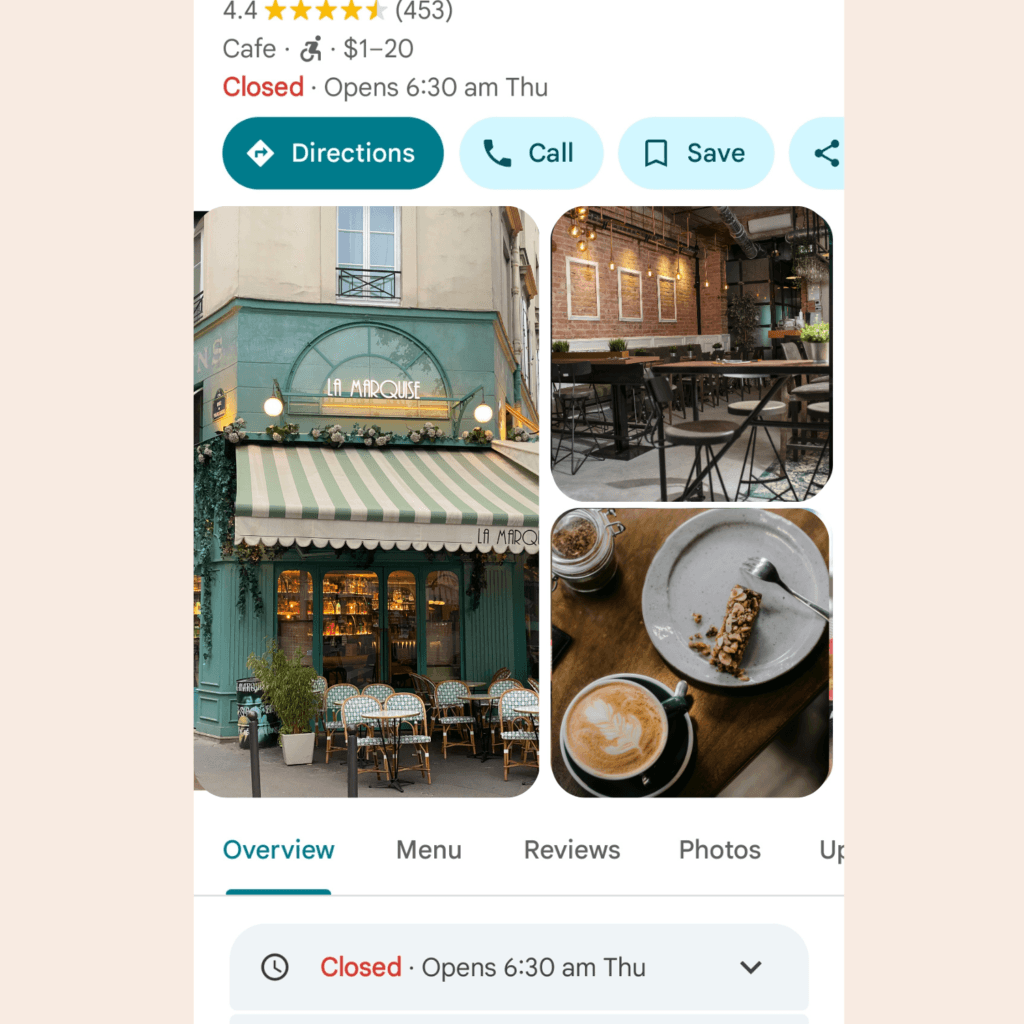
If your café is missing a website link, has no photos, shows outdated hours, or has no menu uploaded — Google has less to work with. And less information usually means less visibility.
I see this regularly when reviewing hospitality listings across Melbourne and regional Victoria. Small things are missing that are easy to fix but make a real difference.
How to fix it: Go through your profile and check every section:
- Business hours (including public holidays)
- Website link
- Phone number
- Menu
- Photos (at least 10 — food, interior, exterior)
- Business description
Fill in anything that’s missing. Update anything that’s changed.
What If None of These Fix It?
Sometimes the issue is harder to spot.
It might be a competitor who has flagged your listing. It might be a deeper technical problem with how your profile was set up. Or it might be that your profile looks fine on the surface, but is missing the signals Google needs to rank it well.
That’s when it helps to have someone review it properly.
When I do a visibility check for a café or restaurant, I look at the full picture — not just the obvious things. I check how your listing compares to competitors in your area, where the gaps are, and what’s most likely to move the needle.
If you’d like me to take a look, you can request a free visibility check below.
Free Checklist for Café Owners
I put together a simple checklist that covers the key things every hospitality venue should have in place on Google.
It takes about 10 minutes to go through and helps you spot what’s missing.
Download the free Google Business Profile checklist
FAQ
Why did my café disappear from Google Maps?
The most common reasons are a suspended listing, a recent address change, or verification that was never completed. Log in to your Google Business Profile and check for any warnings or suspension notices.
How long does it take to appear on Google Maps after fixing my listing?
Most fixes take effect within a few days. Improving your ranking — appearing higher in results — takes longer. Expect a few weeks of consistent activity before you see a noticeable change.
Can I fix a suspended Google Business Profile myself?
Yes, in most cases. Google has an appeals process, and it’s worth going through. It can take a week or two to resolve. If the suspension was due to a guideline issue, you may need to make changes to your profile before appealing.
Does my café need a website to show on Google Maps?
No — but it helps. A website gives Google more information to work with and builds credibility for your listing. Even a simple one-page site is better than none.
Get a Free Visibility Check
If you run a café, restaurant, or winery and want to know exactly why your venue isn’t showing up — I can help.
I offer a free visibility check for hospitality venues across Australia. I’ll look at your Google Business Profile, compare it to what’s ranking in your area, and share a few honest observations about what’s holding you back.
No jargon. No hard sell. Just a clear picture of where things stand.
Request your free visibility check
Weronika Atkins works with cafés, restaurants, and wineries across Victoria, helping them improve how they appear on Google Search and Maps. Learn more about her approach.
READ MORE: Why Guests Choose Cafés on Google Maps in Seconds