
Hit by a Flood of Fake 1-Star Reviews? How Aussie Cafés and Restaurants Can Respond and Report Them
You open your phone on a Tuesday morning. Coffee in hand, half-awake.
You check your Google Business Profile – something you do out of habit before the day properly starts.
And then you see it.
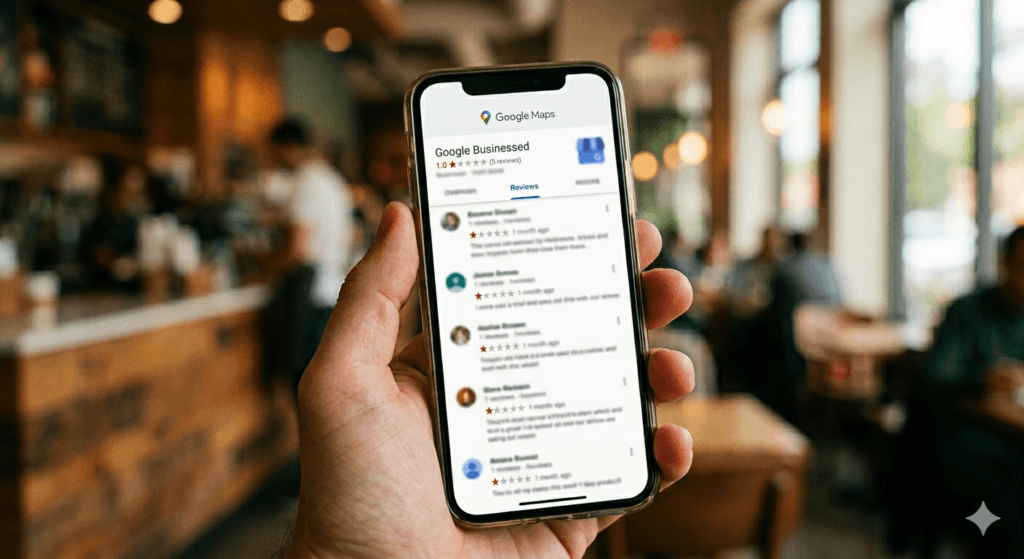
Your rating has dropped from 4.7 to 3.9 overnight. Seven new 1-star reviews. None of them mention your actual menu. None of them describe your venue. One says “terrible experience” – nothing else. Another says “would not recommend” with zero detail.
The worst part? Every single account was created within the last 48 hours.
You haven’t had a complaint in months. Your regulars love you. Your barista has been there six years.
This is a fake review attack. It’s more common than most café and restaurant owners realise. It’s deliberately designed to feel overwhelming. And there are very specific things you can do about it — starting right now.
First: You’re Not Imagining It
The most disorienting part of a fake review attack is the self-doubt it creates.
Did something go wrong that I don’t know about? Did a staff member upset someone? Is there a complaint I missed?
I work with hospitality venues on their Google Business Profile visibility every day. The pattern of a fake attack is distinct – and once you know what to look for, it’s hard to miss.
Signs of a Fake Review Attack on Google (What to Look For)
Reviews arrive in a cluster
Not over days or weeks. Hours. Sometimes overnight.
Accounts are brand new
No profile photo, no review history, no Google Maps contributions. Click through, and you’ll see the account was created days ago.
The language feels copy-pasted
Not word-for-word, but structurally the same. Vague complaints. No specifics. Emotion without evidence.
Timing doesn’t match your hours
Reviews posted at 2am when your café closes at 4pm. Reviews left on a Monday public holiday when you were closed.
They describe things you don’t even offer
I’ve seen a café get a 1-star review complaining about “slow table service” when they’re counter-service only. That’s not a frustrated customer. That’s someone who has never stepped foot inside.
If three or more of these apply to what you’re seeing – you’re almost certainly dealing with a fake attack.
Screenshot everything before you do anything else. Every review. Every reviewer profile. Timestamp visible. What you document right now is the foundation of your case to Google.
What Google’s Policy Actually Says
Before jumping into the steps, I want to be honest with you — because most articles skip this part and it causes a lot of frustration.
What Google Will NOT Remove
- A harsh or unfair review based on a real experience
- A 1-star review with no text
- Any negative opinion a customer genuinely holds
Google doesn’t mediate disputes between businesses and customers. That’s not what the review system is for.
What Google WILL Remove
These are the four categories that matter for a fake attack:
| Violation | What It Means |
|---|---|
| Spam or fake engagement | Reviews not based on a genuine experience, or showing coordinated inauthentic patterns |
| Conflict of interest | Reviews from a competitor or someone with a personal agenda |
| Off-topic content | Reviews that don’t relate to an actual visit or customer experience |
| Fake accounts | Reviews from recently created accounts with no credible activity history |
The Mindset Shift That Gets Results
Your job isn’t to tell Google “this review is mean and I don’t like it.”
Your job is to build a case that clearly points to a specific policy violation.
Think less like a frustrated business owner. Think more like someone presenting evidence. That’s the framing that actually works.
How to Remove Fake Google Reviews in Australia (Step-by-Step)
Step 1 – Screenshot Everything First
Before you flag, respond, or call anyone — document.
- Screenshot each suspicious review with the reviewer’s name and photo visible
- Click through to each reviewer’s profile and screenshot that too
- Note when the account was created, how many reviews they’ve left, and where
- Save files with the date in the filename
An account created three days ago that has dropped 1-star reviews on five businesses in the same suburb is a very strong signal. That screenshot is your evidence.
Step 2 – Flag Through the Reviews Management Tool
Don’t flag from your Business Profile dashboard alone. Use Google’s dedicated Reviews Management Tool – it gives you better visibility over each report’s status and lets you track what’s happening with every flag you submit.
For each suspicious review:
- Select the review
- Click Report
- Choose the most accurate reason
Which reason to choose:
- “Spam or fake” — when the account looks inauthentic or newly created
- “Conflict of interest” — when you suspect a competitor or disgruntled ex-employee
The category you choose directly influences how Google evaluates it. Choose carefully. And do every suspicious review individually — don’t skip any.
Step 3 – Monitor the Status
After flagging, the Reviews Management Tool will show one of three statuses:
- Decision pending — in the queue, not yet reviewed. Can take several days.
- Report reviewed — no policy violation — Google didn’t find grounds for removal. Not the end. You can still appeal.
- Escalated — check your email — Google needs more information or has escalated the case.
Most owners give up at “no policy violation.” Don’t. If you have evidence and the pattern is clear, you have the right to appeal.
Step 4 – Submit Your Appeal With Evidence
In the Reviews Management Tool, select “Appeal eligible reviews” and choose the reviews where the decision went against you. You can appeal up to 10 reviews at a time.
Don’t just say “this review is fake.” Be specific. Include:
- The reviewer’s account creation date and review history
- Timestamps showing when reviews were posted vs. your trading hours
- A clear statement that you have no customer record matching the reviewer
- A note if the review describes a service you don’t offer
Keep your language factual. Calm. No emotion. Just evidence.
Step 5 – Report the Reviewer Profiles Too
This step gets overlooked — and it matters.
On mobile: open Google Maps → find the reviewer’s profile → tap the three-dot menu → select “Report profile”
You can flag accounts for spam, fake identities, or other violations. This creates a separate signal in Google’s system — reinforcing your case that the account itself is inauthentic, not just the review.
How to Respond Publicly Without Making It Worse
Here’s the uncomfortable truth: while you’re reporting, those reviews are still visible to every potential customer who finds you on Maps.
Your public response matters — a lot.
Always Respond — Even to Obvious Fakes
People considering your café don’t know the backstory. They see a 1-star review, and then they see how you handle it. A calm, professional response to a suspicious review does more for your reputation than almost anything else.
A response that works:
“Thank you for your feedback. We’ve checked our records carefully and can’t find any visit or interaction matching this review. We’d genuinely welcome the chance to hear more — please reach out to us directly at [email] so we can look into this properly.”
Short. Calm. Confident. It shows every future customer reading it exactly the kind of business you are.
What to Avoid
- Don’t accuse them of being fake – even if you’re certain. It reads as defensive to anyone who doesn’t know the story.
- Don’t write a wall of justifications – long responses make you look rattled.
- Don’t ignore them – silence looks like you have nothing to say.
- Don’t argue in the comments – one toxic thread can do more damage than the fake reviews themselves.
The Australian Legal Angle Most Owners Don’t Know About
This is the section that surprises most people.
Australian Consumer Law Covers This
Under the Australian Consumer Law, fake reviews – whether they inflate your own rating or deliberately damage a competitor’s – are treated as misleading and deceptive conduct.
The ACCC has been clear: businesses caught posting or coordinating fake negative reviews face significant fines and enforcement action. This isn’t a grey area.
What You Can Do
If you believe a competitor is behind it:
Report to the ACCC at accc.gov.au. They won’t investigate individual cases, but they track patterns — and coordinated fake review campaigns are exactly what gets their attention at a systemic level.
If the reviews make specific false claims about your food safety, staff, or business practices:
Defamation law is worth knowing about. In Australia, small businesses with fewer than 10 employees can pursue defamation action. The first step is a formal concerns notice to the reviewer — giving them the chance to remove the content.
A well-drafted letter from a lawyer is often enough to make fake reviews disappear without ever going near a courtroom.
I’m not a lawyer, and this isn’t legal advice. But knowing the option exists matters — and Australian law is more on your side than most venue owners realise.
What to Do Right Now While You Wait
Reporting to Google takes time. Your rating may sit lower than it should for several days. Here’s what to do in the meantime.
Immediate Actions
Ask genuine recent customers personally
Not a mass message – a personal ask. You cannot offer incentives (ACL violation and a Google policy breach). But a genuine ask to a happy customer is completely fine, and it’s the fastest legitimate way to rebuild your rating.
Post a Google Update today
A photo of your venue. A menu update. Anything that signals you’re active, open, and operating. It creates a visual contrast with the suspicious activity on your profile. Not sure how to do it? Here’s exactly how to post a Google Update for your hospitality venue.
Check your profile information
Accurate hours, current photos, correct categories. A well-maintained profile signals legitimacy -to customers and to Google’s systems.
What NOT to Do
Don’t make structural changes to your listing
While reports are under evaluation. Changing your business name, address, or categories during this window creates unnecessary noise in Google’s systems – and can slow down the review process.
How to Protect Your Google Business Profile from Fake Reviews (Long-Term)
This is the part I want every venue owner to hear — not just the ones dealing with a review attack right now.
Why Review Volume Is Your Best Defence
A venue with 400 genuine Google reviews absorbs a fake review attack very differently from a venue with 40.
The maths is simple:
- 40 reviews + 8 fake 1-star reviews → your rating drops sharply
- 400 reviews + 8 fake 1-star reviews → barely noticeable
The most effective long-term defence against fake Google reviews is a strong foundation of real ones.
Not from review-gating.
Not from incentives.
From consistent, genuine requests to real customers who have had a good experience.
Why Active Google Business Profile Management Helps
Venues that:
- post Google updates regularly
- respond to reviews within a few days
- keep their business information accurate and current
…send strong signals to Google that the business is active, legitimate, and managed.
That matters.
It’s not always visible – but it helps your profile remain stable and trusted, even during unusual review activity.
This is exactly where ongoing Google Business Profile management makes a difference – not in reacting to problems, but in quietly keeping the profile active, consistent, and easy for both Google and potential guests to trust.
Set Up a Google Alert for Your Business Name
Go to: https://alerts.google.com
Create an alert for your business name.
It takes two minutes – and it means you’ll know quickly if your venue is mentioned anywhere online, including in review-related contexts.
Speed Matters More Than Most Owners Realise
When it comes to fake review attacks, timing is critical.
The faster you:
- identify suspicious reviews
- document the pattern
- and report them
…the stronger your case becomes.

You Have More Control Than It Feels Like Right Now
A fake review attack is stressful. It’s designed to be.
Someone – a competitor, a disgruntled former staff member, someone with a grudge – chose your business to target. That’s infuriating. And the feeling of helplessness when you can’t just press delete is genuinely awful.
But you’re not powerless.
You can document
You can report. You can appeal. You can respond professionally in a way that shows every future customer who reads it exactly the kind of business you are.
And you can use this moment – uncomfortable as it is – as the prompt to build a review foundation strong enough that no coordinated attack can destabilise it.
The venues that come through this best aren’t the ones who panic. They’re the ones who act quickly, stay calm, and know what they’re doing.
Now you know what you’re doing.
Frequently Asked Questions
Can fake Google reviews be removed in Australia?
Yes, but only if they violate Google’s content policies – such as spam, fake engagement, or conflict of interest. Google will not remove a review simply because it’s unfair or negative. You need to flag it through the Reviews Management Tool and, if needed, submit an appeal with evidence.
How long does Google take to remove a fake review?
There’s no fixed timeframe. Most reports are reviewed within a few days, but some take longer. You can monitor the status in Google’s Reviews Management Tool. If the initial decision goes against you, you have the right to appeal once.
Can a competitor leave fake reviews on my Google Business Profile?
Yes, and it happens. Under the Australian Consumer Law, this is treated as misleading and deceptive conduct. If you have evidence pointing to a competitor, you can report it to the ACCC at accc.gov.au in addition to flagging the reviews with Google.
What should I do if Google won’t remove a fake review?
Don’t give up after the first decision. Submit a one-time appeal through the Reviews Management Tool with as much specific evidence as possible – account creation dates, timestamps, a statement that no matching customer record exists. If the reviews contain false factual claims, speak to a lawyer about a formal concerns notice under Australian defamation law.
Should I respond to fake Google reviews?
Yes – always. While the review is visible, potential customers can see how you handle it. A calm, professional response that invites direct contact shows confidence and integrity. Never accuse the reviewer of being fake in your public response, even if you’re certain they are.
Can fake Google reviews affect my ranking on Google Maps?
A sudden drop in rating from a fake attack can affect how your venue appears in local search results. This is why responding quickly, reporting accurately, and actively maintaining your profile during the attack period all matter — not just for your rating, but for your overall visibility.
Weronika Atkins is the founder of Veronika Presence, a Google Business Profile consultancy supporting cafés, restaurants and wineries across Melbourne and Victoria.
If your profile has changed suddenly and you’re not sure what’s happening, I can take a look and show you exactly what’s going on – and what to do next.