How to Write a Google Business Profile Description That Gets More Bookings
Most guests don’t read your Google Business Profile from top to bottom. They scan it. They look at your photos, check your rating, glance at your hours – and then, if something caught their attention, they read your description.
That description has one job: to confirm what they already suspect, that your venue is worth visiting.
The problem is that most hospitality descriptions don’t do that job. They’re too generic, too long, or written for no one in particular. And when a guest can’t quickly understand what makes your venue right for them, they keep scrolling.
This post gives you a simple framework to fix that – no marketing experience needed.
Just clear, honest writing that helps guests choose you.
What Your Google Business Profile Description Actually Does
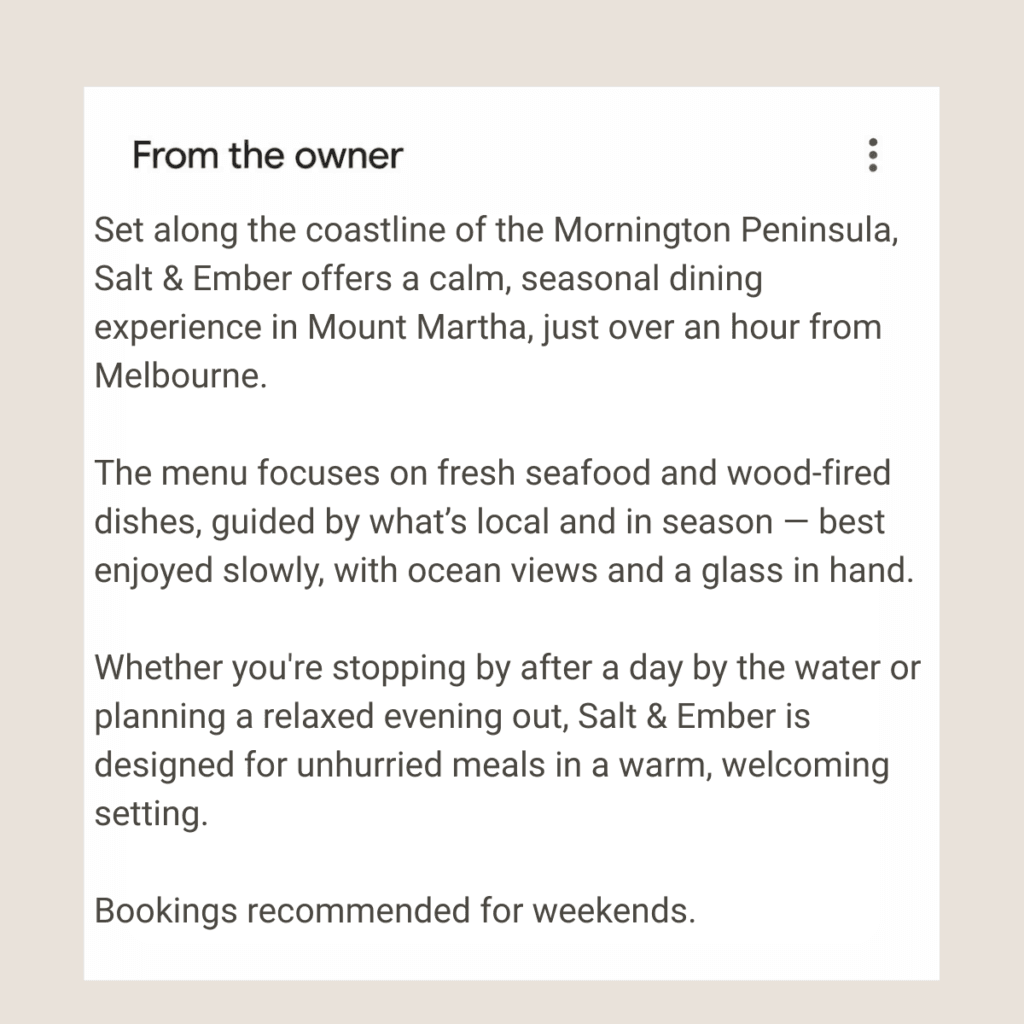
Here’s something worth understanding before you start writing: your Google Business Profile description is not primarily an SEO tool. It’s a trust signal for real people who are already considering your venue.
By the time someone reads your description, they’ve already looked at your photos and noticed your star rating. They’re not discovering you – they’re evaluating you.
The description answers three questions they’re quietly asking:
- What kind of place is this?
- Is it right for me?
- Is there a reason to choose this over the venue nearby?
If your description answers those three questions clearly, it does its job. If it doesn’t, guests hesitate.
And hesitation, at that stage, usually means they move on.
Your description doesn’t attract guests. It confirms their decision.
Why Most Hospitality Descriptions Don’t Work
The most common problem isn’t bad writing – it’s vague writing. Here are the patterns that come up over and over when looking at café, restaurant, and winery profiles across Google Maps.
| Problem | What it looks like | Why it loses guests |
|---|---|---|
| Too generic | “Great food in a relaxed atmosphere” | Describes every venue – gives guests nothing to hold onto |
| Too long | Three paragraphs of background and history | Google cuts descriptions off on mobile – key info gets buried |
| No clear offering | “We serve breakfast, lunch, and dinner with seasonal produce” | Tells guests what you do, not what you’re known for |
| No location context | No mention of suburb, setting, or surroundings | Regional venues and wineries especially need this – guests are planning a trip |
| No reason to choose you | Reads like a copy-paste from the website About page | Guests are comparing options – there’s nothing here to tip the decision |
Here’s what that looks like in practice:
| BEFORE “Welcome to The River Table. We offer a warm and inviting dining experience with fresh, locally sourced ingredients and a menu that changes with the seasons. Our team is passionate about food and hospitality, and we look forward to welcoming you.” | BETTER “Relaxed riverside restaurant in the Yarra Valley, known for wood-fired dishes and a weekly changing menu built around local producers. Good for long lunches, small celebrations, and groups who like to share. Bookings recommended on weekends.” |
The second version takes the same amount of space and tells the guest far more.
A Simple Framework That Works (3–5 Sentences)
You don’t need to write something clever. You need to write something clear. This framework gives you a structure to follow – fill in the details for your own venue and you’ll have a description worth keeping.
Sentence 1: What you are
Start with a plain, honest description of your venue type and where you sit.
Examples:
- “Neighbourhood café in Blackburn serving breakfast and lunch seven days.”
- “Family-run winery in the Mornington Peninsula with cellar door tastings and a seasonal grazing menu.”
- “Modern Italian restaurant in Toorak, open for dinner Tuesday to Sunday.”
No flourishes. No adjectives like “vibrant” or “charming.” Just what you are and where you are.
Sentence 2: What you offer
What are you known for? What do guests come back for? This is your food, your drink, your experience – in plain terms.
Examples:
- “Known for single origin pour-overs and a short brunch menu that changes with the season.”
- “Known for estate-grown Pinot Noir and Chardonnay, with a cellar door open Thursday to Monday.”
- “Known for house-made pasta, wood-fired proteins, and a wine list that leans Italian.”
Sentence 3: Where and context
Give the guest a feel for the setting – the vibe, the space, who it suits.
Examples:
- “A quiet spot for solo workers midweek, busier on weekends with families and locals.”
- “Set among the vines with views across the estate — good for a relaxed afternoon or a special occasion.”
- “Small and intimate, suited to date nights and small celebrations.”
Sentence 4: Why choose you
What’s the one thing that’s hard to find elsewhere? What do guests mention most in your reviews?
Examples:
- “Regulars come back for the consistency — the coffee and the kitchen are reliable every day.”
- “One of the few cellar doors in the region that also does food, so you can make an afternoon of it.”
- “The pasta is made in-house daily, which shows.”
Optional: Practical detail
If there’s something guests often ask before booking – whether you take reservations, whether you’re dog-friendly, whether you do takeaway – put it here.
Examples:
- “Bookings taken online. Walk-ins welcome for groups of two.”
- “Dog-friendly on the terrace. Takeaway available daily.”
- “Cellar door open Thursday to Monday, 11am–5pm. Bookings recommended for groups.”
Put those five sentences together and you have a description that’s specific, honest, and actually useful to a guest who’s deciding.
Most hospitality owners don’t have time to go through everything in detail.
If you want a clear checklist of exactly what to fix first, you can use this:
→ Fix Your Google Business Profile in 30 Minutes
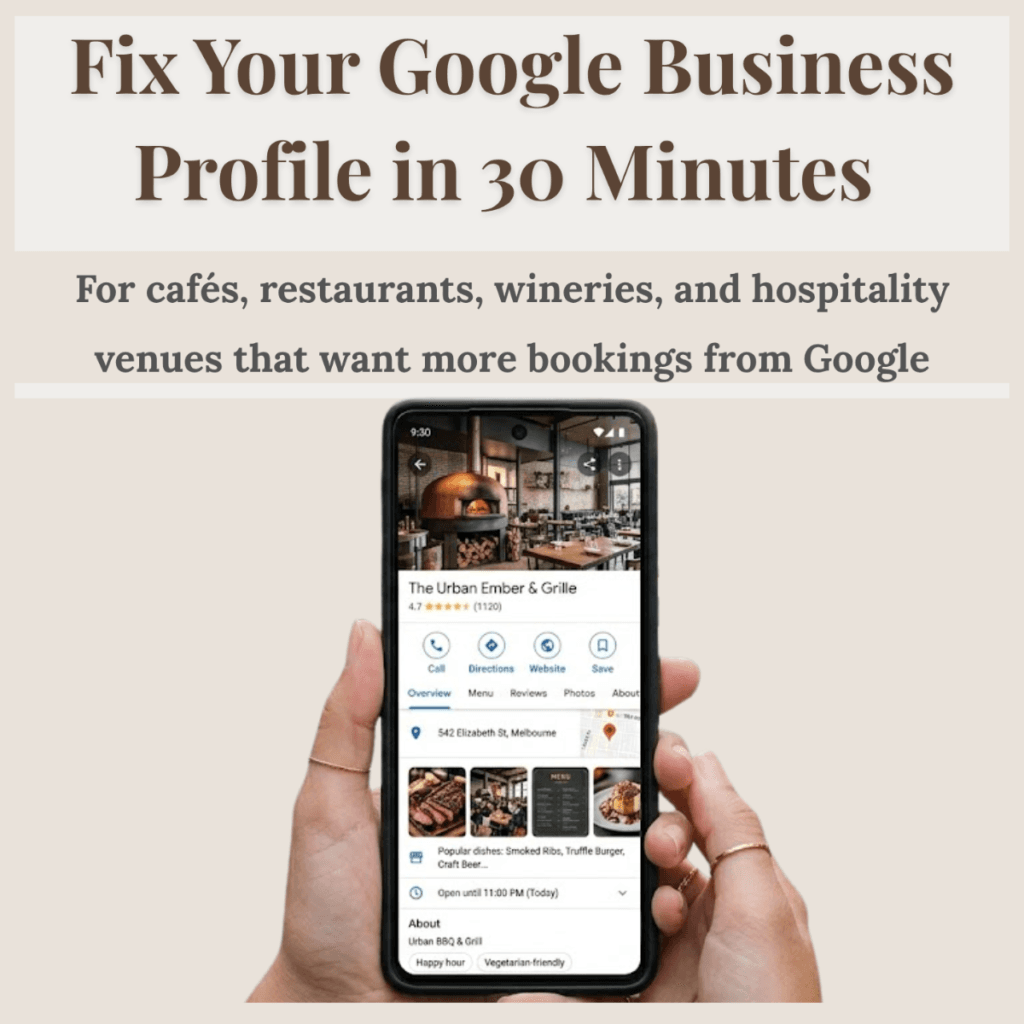
Real Google Description Examples for Hospitality Venues
Café example
Before: “A cosy café with great coffee and delicious food. We use fresh, quality ingredients and pride ourselves on friendly service. Come in and see us – we’d love to welcome you.”
After: “Neighbourhood café in Lilydale, open seven days for breakfast and lunch. Known for strong espresso and a short menu that keeps things simple and good. Quieter during the week, busier on weekend mornings. Walk-ins welcome – no bookings.”
Restaurant example
Before: “Experience the finest dining in the heart of Melbourne. Our passionate chefs create seasonal menus inspired by global flavours, using the best local produce. Perfect for any occasion.”
After: “Contemporary restaurant in Carlton, open for dinner Wednesday to Sunday and lunch on weekends. The menu changes monthly and leans on Victorian produce – smaller dishes designed for sharing. Good for groups, celebrations, and guests who like to take their time. Bookings strongly recommended.”
Winery example
Before: “Welcome to our beautiful winery in the Yarra Valley. We produce handcrafted wines and offer a stunning cellar door experience. Visit us for tastings, events, and more.”
After: “Small family winery in the Upper Yarra Valley, producing cool-climate Pinot Noir, Chardonnay, and Riesling. Cellar door open Friday to Sunday for drop-in tastings and a simple grazing menu. Set among the vines – worth the drive for a long, unhurried afternoon.”
Quick Checklist — Use This Before You Save
Before you update your description, run through this quickly:
- It’s clear what type of venue this is within the first sentence
- It mentions what you’re actually known for – not just that you serve food
- It includes some location context or setting
- There are no filler phrases (“passionate team,” “quality ingredients,” “inviting atmosphere”)
- It sounds like something a regular guest would say to a friend — not something from a brochure
- You can read the whole thing in five seconds
If it passes all six, save it.
Common Mistakes to Avoid
Keyword stuffing
Writing “best café Melbourne breakfast brunch coffee Melbourne CBD” into your description reads as spam to guests and doesn’t help your ranking the way you might think.
Writing for Google instead of guests
Google reads your whole profile to understand what you are. Your description is for the person standing on the footpath deciding where to eat.
Over-explaining
Three tight sentences beat six rambling ones every time. Guests on Maps are scanning fast.
Copying from your website
Your website has space to tell a longer story. Your Google description needs to be a fast, clear snapshot — not a paste from your About page.
Leaving it outdated
If your description still mentions a menu you changed two years ago, or hours that no longer apply, it creates doubt. Doubt loses bookings. Check it every few months – especially before a busy season.
How This Connects to Bookings
A Google Business Profile works as a decision chain. Guests move through it in a fairly predictable order:
Photos → Rating and reviews → Description → Action
Photos create the first emotional response.
Your description works together with your photos – because guests don’t read everything, they scan.
If your images feel outdated or unclear, it weakens even a strong description.
→ Read more: What Photos Work Best on Google Business Profile for Hospitality Venues
Reviews build trust.
Reviews play a quiet but powerful role here. Even the best-written description won’t convert if the review section feels empty or unbalanced.
→ Read more: How to Get More Google Reviews Without Feeling Awkward
Your description is the moment where a guest either gets the confirmation they need – or doesn’t.
If your description is unclear, guests hesitate. If it’s generic, there’s nothing to hold onto. If it’s outdated, it creates doubt about whether the profile is even being looked after.
That hesitation, at that stage of the decision, is where bookings are lost. Not dramatically – guests don’t call and complain about your description. They just quietly choose somewhere else.
A clear description removes that hesitation. It’s a small thing with a direct effect.
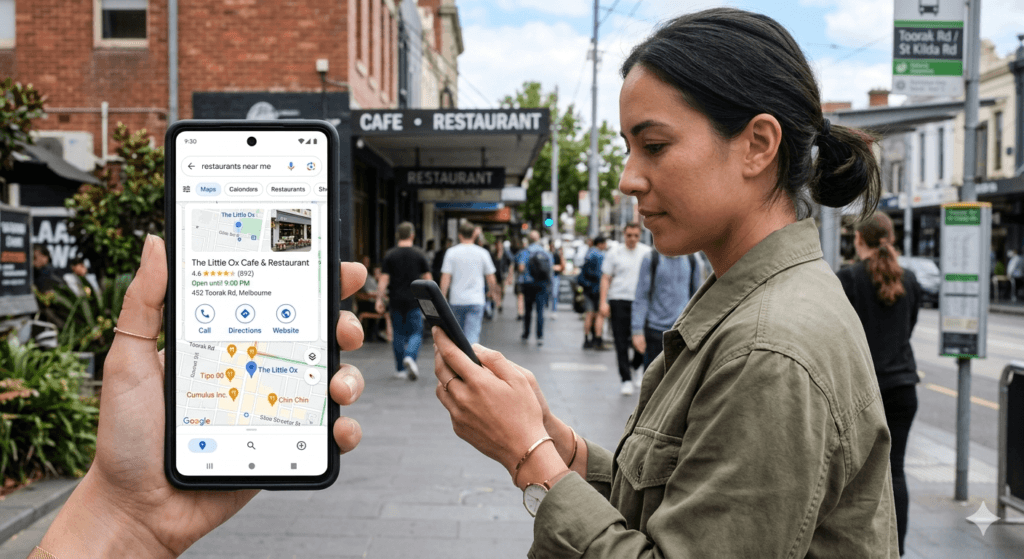
Want to Fix Your Entire Profile in One Sitting?
Most venue owners don’t just need a better description – they need to look at how their entire profile appears to a guest who has never visited before.
Photos, hours, categories, review responses, attributes – each one plays a role in whether a guest clicks through or keeps scrolling. The description is one piece.
This is the same process I use when reviewing hospitality profiles across Melbourne, Victoria – looking at how a guest actually decides.
If you want a simple, step-by-step way to fix all of it:
Fix Your Google Business Profile in 30 Minutes
A practical guide designed for cafés, restaurants, and wineries – focused on what actually affects guest decisions, in the order that makes sense.
Final Thought
You don’t need better marketing language in your Google description. You need clearer communication.
The venues that get chosen consistently on Google aren’t always the ones with the best food or the most reviews. They’re the ones whose profiles make it easy for a guest to understand what they’re getting and feel confident about the decision.
A description that’s honest, specific, and easy to read in five seconds does more for your bookings than any amount of keyword strategy.
Write it like you’re explaining your venue to someone who’s never been. Keep it short. Be specific. And update it when something changes.
That’s it.
Small changes here don’t feel like marketing. But they change what guests choose.
Frequently Asked Questions
How long should a Google Business Profile description be for a café or restaurant?
Google allows up to 750 characters for your description, but only the first 250 characters show before guests have to tap “more.” That means your most important information – what you are, where you are, what you’re known for – needs to be in the first two sentences. For most hospitality venues, three to five sentences is plenty. Shorter is better than longer. If a guest has to scroll to understand what you do, the description isn’t working.
Does the description help my venue rank higher on Google Maps?
Not directly. Google has confirmed that the description field doesn’t carry significant weight as a ranking factor on its own. Where it does help is with guest confidence – when someone finds your profile and reads a clear, specific description, they’re more likely to click through or make a booking. Think of it as a conversion tool, not an SEO tool. Your categories, reviews, and overall profile completeness do more for your ranking than the description itself.
Should I include keywords in my Google Business Profile description?
Yes, but naturally. Including your venue type and location in the first sentence – “Neighbourhood café in Brunswick” or “Family-run winery in the Yarra Valley” – gives Google useful context and reads normally to a guest. What doesn’t work is stuffing keywords in unnaturally, like listing cuisine types, suburbs, and services repeatedly. Google’s guidelines explicitly warn against this, and it reads as spam to anyone visiting your profile.
Can I mention promotions or special offers in my description?
No. Google’s guidelines don’t allow promotional language, pricing, or offers in the description field – things like “20% off this weekend” or “best pizza in Melbourne” will get your description flagged or rejected. Stick to factual, descriptive language about what your venue is and what guests can expect. For promotions, use Google Posts instead – that’s exactly what they’re designed for.
How often should I update my Google Business Profile description?
Most venues only need to update their description when something meaningful changes – a new menu direction, a change in hours or days open, a renovation, or a shift in what you’re known for. A good rule of thumb is to check it before a busy season, after any major change to your offering, and at least once a year to make sure it still reads as current. If your description mentions a menu from two years ago or hours that no longer apply, guests notice – and it creates doubt.
Looking to improve more than just your description? Start with a free visibility check – a calm, honest look at how your venue currently appears on Google Maps.