How to Improve Your Google Business Profile for a Winery in Victoria
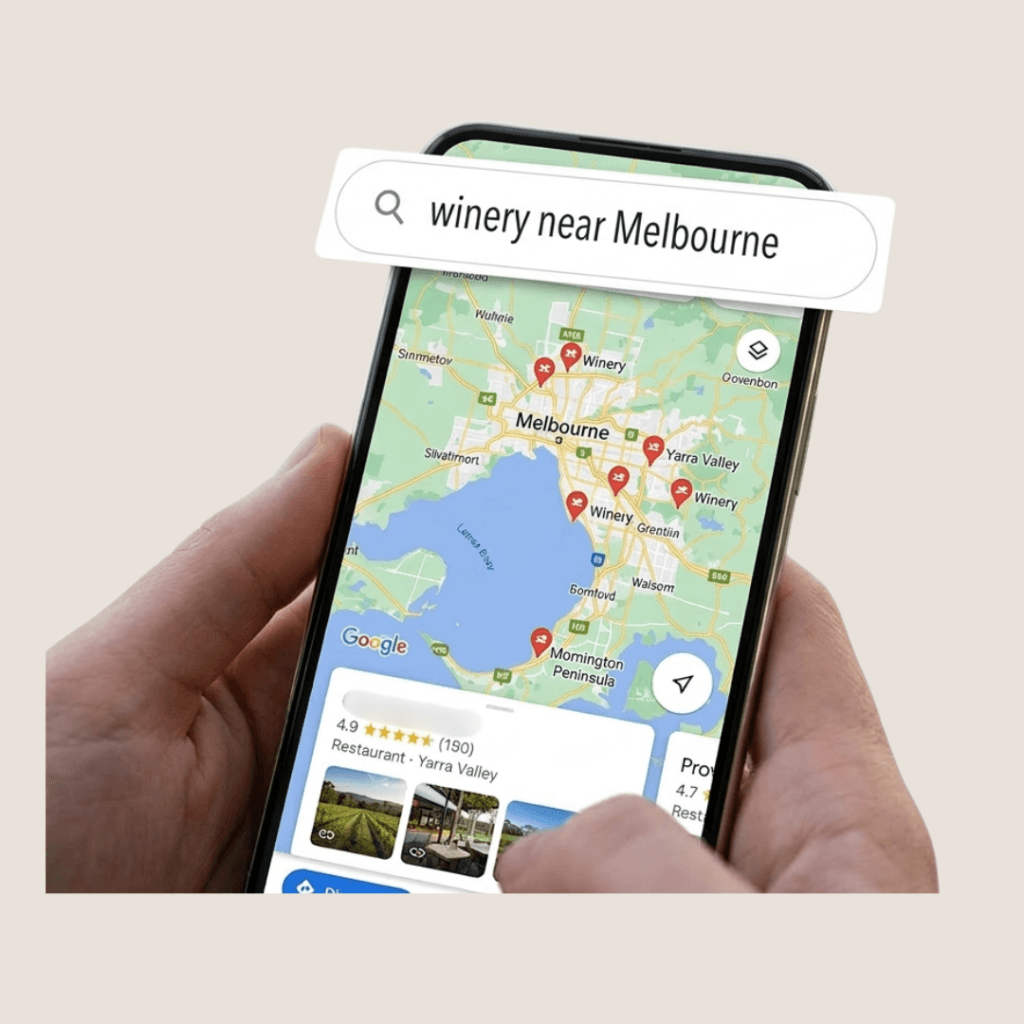
When guests plan a winery visit in Victoria – whether in the Yarra Valley, Mornington Peninsula or Heathcote – the journey usually begins on Google.
They search for things like:
- winery near Melbourne
- wine tasting Yarra Valley
- Mornington Peninsula cellar door
Within seconds, they compare several venues. They scroll through photos, glance at reviews, and look for small signals that help them decide where to go.
Often, the decision is made before they ever visit a website.
Your Google Business Profile quietly becomes the first impression of your winery.
When it is clear, active and well-presented, it helps guests feel confident choosing your venue. When information is incomplete or outdated, guests may simply move on to the next option.
Below are several practical ways wineries in Victoria can strengthen how they appear on Google.
If you are looking for help fixing a Google Maps listing that may not be performing well, you can also read this guide about Google Maps listing help for Victoria winery cellar doors.
1. Choose the Right Categories
Many wineries select only “Winery” as their business category.
While this is correct, it may not fully describe the experience visitors are searching for.
Google uses categories to understand what your venue offers and which searches it should appear in.
Primary category
Your main category should normally be:
- Winery
or - Vineyard
Secondary categories
Additional categories help reflect the full experience available to guests. These may include:
- Wine bar
- Tourist attraction
- Restaurant (if food is served)
- Event venue
- Wedding venue
These details help your winery appear in searches such as:
- wine tasting near Melbourne
- winery lunch Yarra Valley
- wedding venue winery Victoria
When categories match the real visitor experience, your profile becomes easier for Google to recommend.
2. Write a Location-Rich Description
Your Google Business Profile includes a description section that allows up to 750 characters.
This space should clearly explain what guests can expect when they visit your winery.
Helpful elements to include are:
- where your winery is located
- the wines you specialise in
- the tasting experience you offer
- what makes your cellar door unique
For example, your description may reference:
- Yarra Valley winery
- Mornington Peninsula cellar door
- estate-grown wines
- vineyard views
- guided wine tastings
This information helps Google understand your local relevance and also helps guests quickly recognise whether your venue matches the experience they are looking for.
3. Build a Strong Photo Gallery
Photos are one of the most influential parts of a winery’s Google profile.
Guests often decide whether a venue feels appealing simply by looking through the images.
Google’s systems also analyse photos to understand what type of experiences a venue offers.
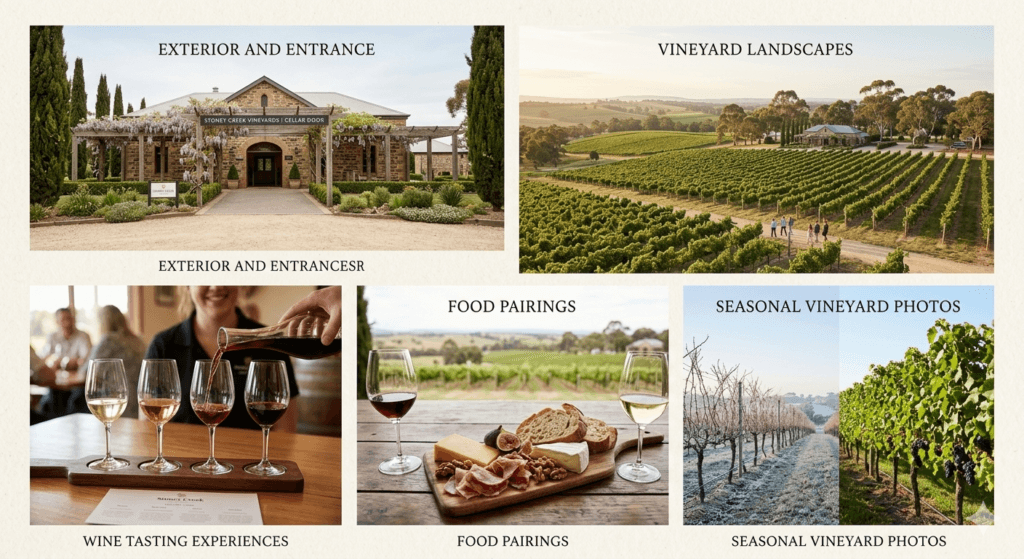
For wineries, a well-balanced photo gallery may include:
Exterior and entrance
Clear signage and vineyard entrances help visitors recognise the venue when they arrive.
Vineyard landscapes
Scenic vineyard views help communicate the atmosphere and setting.
Wine tasting experiences
Images showing tasting paddles, wine pouring or guests enjoying the cellar door experience.
Food pairings
Cheese boards, seasonal dishes or winery lunches.
Seasonal vineyard photos
For example:
- harvest season
- autumn vineyard colours
- winter tastings by the fire
A good starting point is 15–30 strong photos, followed by adding 2-3 new images weekly. Fresh photos signal that the venue remains active and welcoming.
4. Post Weekly Updates
Many hospitality venues create a Google profile and then rarely update it.
However, occasional updates can quietly strengthen visibility and give guests a sense that something is happening at the venue.
For wineries, useful update ideas include:
- new vintage releases
- weekend live music
- seasonal wine tastings
- harvest events
- wine dinners
- wine club offers
Posts tend to work best when they include:
- a strong photo or short video
- concise text that is easy to read on mobile
- a clear action, such as Book Now or Learn More
These small updates help keep the profile feeling current.
If you would like to learn more about how updates can help keep a profile active and informative, you can read a more detailed guide in this article about Google Business Profile updates.
5. Build and Manage Reviews
Reviews are one of the strongest signals guests rely on when choosing where to visit.
A profile with a healthy number of recent reviews often feels more active and trustworthy.
Encouraging guests to share their experience can be simple.
Some wineries include the review link:
- in tasting room receipts
- in wine club emails
- on printed tasting notes
Responding to reviews
Responding to reviews also shows that the venue cares about guest feedback.
Helpful responses usually:
- thank the guest by name
- mention the wine or experience they enjoyed
- remain calm and professional if concerns are raised
Over time, regular review activity signals that the winery continues to welcome visitors.
6. Use the Questions and Answers Section
The Q&A section of Google Business Profile is often overlooked, yet it can be very helpful for guests planning a visit.
You can populate this section with common questions visitors frequently ask.
Examples include:
- Do you need to book for tastings?
- Is the cellar door dog-friendly?
- Do you offer wine club memberships?
- Is parking available?
Providing clear answers helps guests feel more prepared before arriving.
7. Add Detailed Attributes
Attributes help guests quickly understand what your winery offers.
These small details often influence a visitor’s decision when comparing several venues.
Examples of attributes include:
- outdoor seating
- dog friendly
- family friendly
- accessible entrance
- parking available
- reservations required
These details also help your venue appear in filtered searches on Google Maps.
8. Add Booking Links and Services
If your winery offers tasting experiences, adding a booking link can make it much easier for guests to reserve a visit.
Many wineries connect their Google profile directly to reservation platforms such as:
- Rezdy
- Now Book It
- OpenTable
You can also list experiences as services, such as:
- cellar door tasting
- private group tasting
- wine and food pairing
- vineyard tour
Clear service names help guests quickly understand what experiences are available.
9. Keep Business Information Accurate
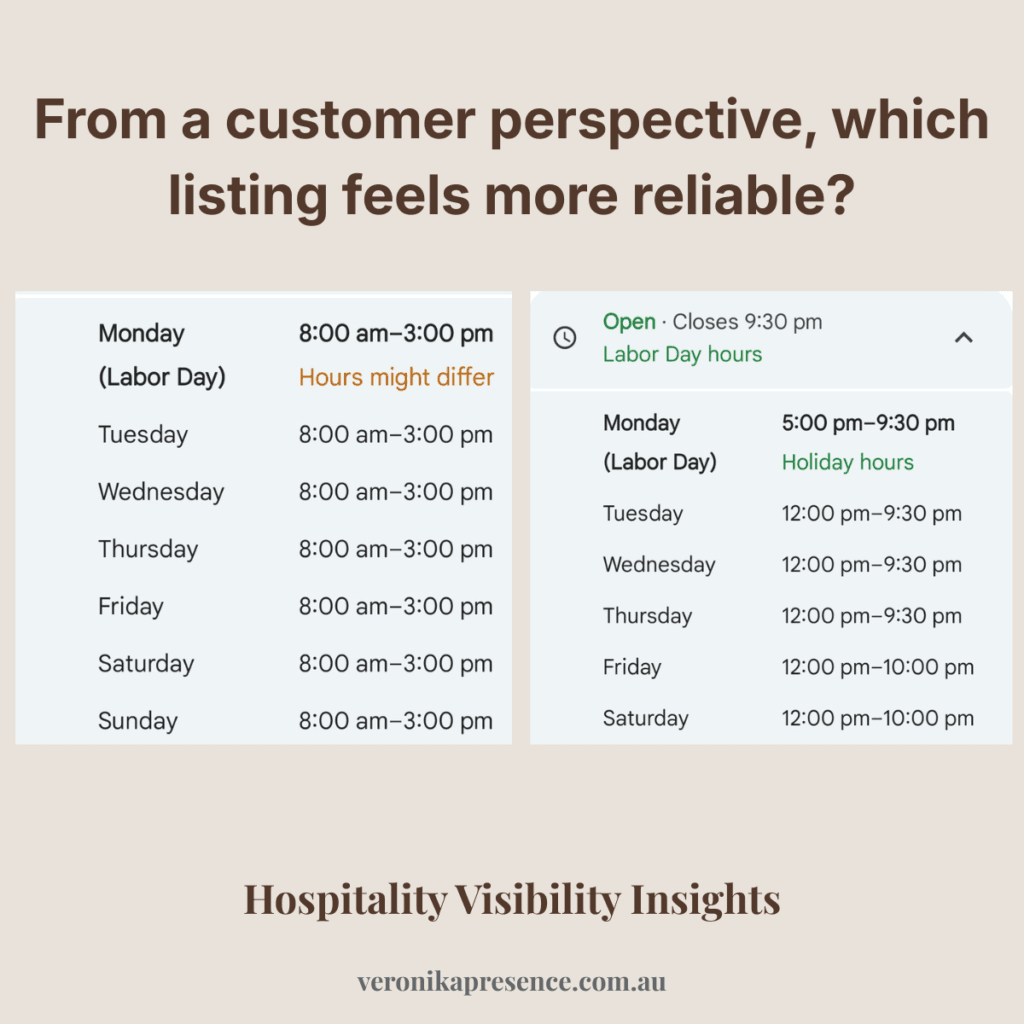
One of the most common issues guests encounter on Google is incorrect opening hours.
This can create frustration and may lead visitors to choose another venue.
It is helpful to review your hours regularly, especially for:
- public holidays
- seasonal closures
- harvest periods
- special events
Accurate information builds trust and helps ensure guests arrive at the right time.
Google Business Profile provides useful insights about how guests interact with your listing.
These insights show actions such as:
- direction requests
- phone calls
- website clicks
- photo views
The goal is not simply to receive more views, but to encourage more visitors arriving at the winery.
Reviewing these insights occasionally can help identify what is working well.
It is also important to monitor your profile regularly because Google allows anyone to suggest edits to a business listing.
These suggestions can sometimes change details such as opening hours, categories or other information.
While Google often reviews these changes automatically, they can still appear on a profile if not noticed.
Checking your profile from time to time helps ensure that the information guests see remains accurate and consistent.
Quick Improvements You Can Make Today
Small adjustments can often strengthen a profile quickly.
For example:
- add 10 new photos to your gallery
- create 5 helpful questions in the Q&A section
- request reviews from recent visitors
- publish a Google update about an upcoming event
These simple steps can help your profile feel more active and informative.
For many hospitality venues, however, consistency can be difficult during a busy service week.
If you would prefer someone to quietly monitor and manage these elements over time, you can also explore the Google Business Profile support for wineries services offered by Veronika Presence.
Frequently Asked Questions
How many photos should a winery have on Google Business Profile?
A good starting point is around 15–30 high-quality photos showing the vineyard, cellar door, wine tastings and food pairings.
Over time, it is helpful to add new photos occasionally (best weekly) so guests can see that the venue remains active and welcoming.
Do Google Posts really help wineries appear higher on Google?
Regular updates can help signal that a business is active.
For wineries, posts about events, new vintages or seasonal tastings can also attract guests who are browsing for weekend plans.
Should wineries respond to every review?
Responding to reviews is generally recommended.
It shows potential visitors that the winery values guest feedback and is attentive to the visitor experience.
Many guests also read the responses to reviews, especially when they are comparing several venues. These responses can quietly shape the impression of how the winery communicates with its visitors.
Even short responses thanking guests for their visit can help create a positive and welcoming impression.
What information matters most on a winery’s Google profile?
From a visitor’s perspective, the most important elements are usually:
- clear photos of the venue
- accurate opening hours
- recent reviews
- information about tastings and experiences
These details help guests quickly decide whether the winery feels right for their visit.
How often should a winery update its Google Business Profile?
Many wineries review their profile once or twice per month to ensure photos, hours, and updates remain current.
Small adjustments over time can help the profile remain clear and informative.
Explore Your Winery’s Visibility
If you are curious how your winery currently appears to guests searching on Google Maps, you can request a visibility check.
This provides a calm outside perspective and highlights a few observations that may help strengthen your venue’s online presence.
About the Author
Weronika Atkins works with cafés, restaurants and wineries across Victoria, helping hospitality venues maintain a clear and welcoming presence on Google Maps through thoughtful Google Business Profile management.
Her work focuses on helping guests confidently choose a venue before they arrive.
Learn more about my hospitality visibility approach.
Pingback: Google Maps Listing Help for Victoria Winery Cellar Doors