How Guests Actually Choose a Restaurant on Google Maps (The 4-Step Decision Process)
Most guests don’t choose the best restaurant.
They choose the one that feels right – in a few seconds on Google Maps.
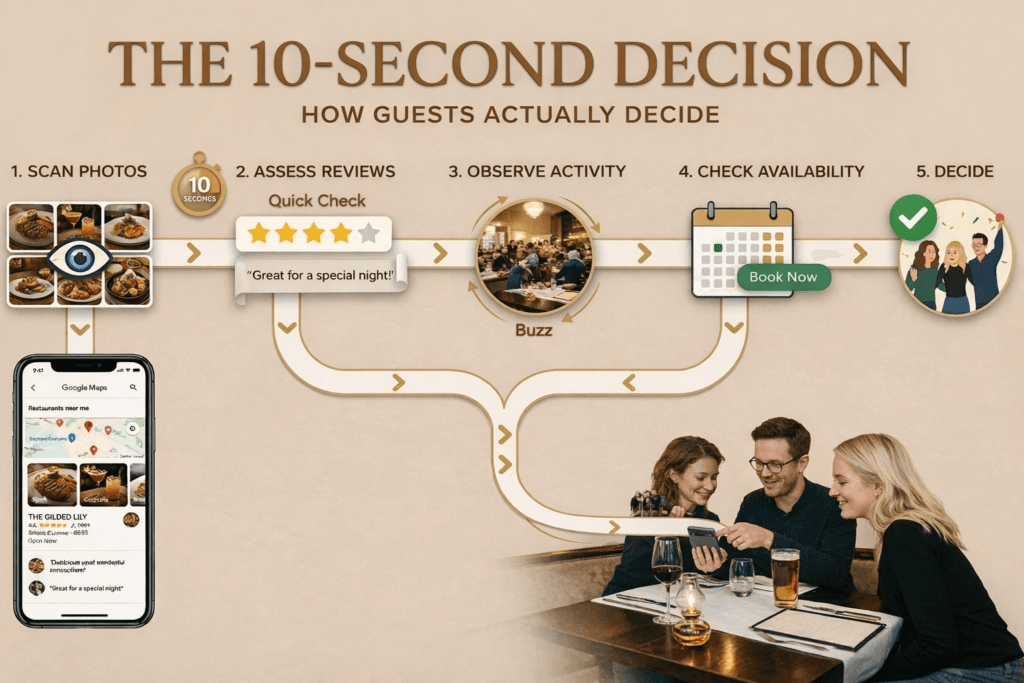
Most owners think guests browse and choose. What actually happens is faster, more unconscious, and more decisive than that. Guests eliminate – and by the time they make a conscious choice, your venue has already passed or failed.
Here is how the process actually works – and what it means for your restaurant’s Google presence.
Step 1: You appear
Step 2: Instant elimination
Step 3: The shortlist
Step 4: The trust decision
This is where bookings are won or lost — before a guest ever sees your venue.
Step 1: You have to show up on Google Maps at all
Before a guest can choose you, they have to see you. And Google Maps does not show every nearby restaurant equally – it surfaces venues based on how complete the profile is, how accurate the category is, and how recently the listing has been active.
A restaurant with missing hours, an incorrect category, or a profile that hasn’t been touched in a year is less likely to appear in relevant local searches. Which means the guest never even sees you.
Most diners check Google before choosing where to eat.
Photos are often the first thing they look at — even before reading anything.
And reviews strongly influence their final decision.
Two Italian restaurants sit three streets apart in Fitzroy. One is set to the primary category “Italian restaurant.” The other is set to “Restaurant.” When a guest searches “Italian restaurant Fitzroy” on a Saturday night, the first venue appears. The second often doesn’t – not because it is further away or less popular, but because Google does not read it as specifically relevant to that search.
Visibility is not a competitive advantage. It is the minimum requirement for entering the decision process at all.
→ If your venue isn’t appearing where it should: Why your restaurant isn’t showing on Google Maps — and how to fix it
Step 2: The instant elimination – where most restaurants are actually lost
Assume your venue appears in the results. Now the guest scans the list. This part feels like browsing – but it is really fast, unconscious elimination.
Research on how people make choices in situations like this (called the consideration set model) shows that guests do not evaluate every option carefully.
They rapidly filter down to 2–4 venues almost instantly.
Everything outside that group is dismissed – usually in under 10 seconds per venue. The guest is not consciously thinking “I am eliminating this one.”
They form an impression – warm or cold, active or abandoned – and that impression decides whether the venue stays in the frame or disappears.
What this looks like in practice: Imagine a guest searching “restaurants near me” on a Friday evening. Three venues appear. The first has a bright, current photo of a full dining room and 340 reviews. The second has a dark photo of empty chairs that looks like it was taken in 2022, and 14 reviews. The third has no cover photo at all. The guest taps the first one. The second and third are gone from her mind before she has consciously registered why.
What triggers elimination at this stage
- Weak or irrelevant cover photo or video
The first impression is visual. If the image is dark, blurry, or unflattering, the venue is dismissed before anything else is read.
- Too few photos
A sparse gallery signals low activity or lack of care.
A venue with 3 photos next to one with 25 loses immediately.
- Low review volume (not rating)
A 4.9 with 11 reviews feels less trustworthy than a 4.3 with 300+.
Volume signals real, consistent experience.
- Missing or outdated hours
If guests can’t confirm you’re open right now, they move on.
- No recent activity
Old photos, outdated posts, no responses – all suggest the profile isn’t being actively managed.
Most restaurants are lost at this stage – not because they are bad venues, but because their profile does not pass the unconscious test that happens in the first few seconds of a guest’s glance.
The food may be excellent. The service may be exceptional. But if the profile looks neglected, none of that is visible yet.
→ More on what guests notice in those first seconds: Why guests choose venues on Google Maps in seconds
Step 3: The shortlist – where the real comparison happens
If your venue survives the elimination stage, it enters the shortlist.
Typically 2–4 venues. This is where the guest becomes deliberate – and where the actual decision is made.
They look more closely at photos. They scan reviews for recurring themes. They check hours, location, atmosphere. They are answering one specific question: which of these do I feel most confident about?
Notice the word “confident” — not “best.” Research on how people choose restaurants consistently shows that guests are not primarily trying to find the best option. They are trying to avoid a disappointing one. They are looking for reasons to feel safe choosing you – and the profile either provides those reasons or it doesn’t.
Two restaurants are on the shortlist. Both have similar ratings. Restaurant A has warm interior photos taken during dinner service, 15 reviews responded to in the last month, and a cover photo of their signature dish on a timber table. Restaurant B has an empty-room interior photo with overhead lighting, 60 reviews with no owner responses, and a cover photo uploaded by a guest showing an unclear angle. The guest chooses Restaurant A – and could not fully say why. The profile just felt more alive.
What the shortlist comparison actually examines
- Interior & atmosphere photos
Guests want to picture themselves there – not just see the food.
A warm, lived-in dining room with people present will always feel more inviting than a technically perfect empty space.
A well-shot short video – a pan across a warm dining room at service, a barista pulling a shot, a dish being plated – is more compelling than any still image because it signals activity and life in a way a photo cannot. If you have decent phone footage of your venue at its best, it is worth uploading.
That said, a strong current photo is still more important than a weak or irrelevant video. The hierarchy is: strong video beats strong photo, strong photo beats weak video, weak video beats nothing. What always loses is a dark, blurry, or guest-uploaded cover that the venue owner has not thought about or replaced.
- Rating – in context of volume
A 4.3 with 400 reviews often feels more trustworthy than a 4.9 with 15.
Higher volume signals a broader, more reliable guest experience.
- The most recent reviews
Not the best reviews – the most recent.
Recency shows what the experience is like now, not what it was months or years ago.
- Owner responses
Silence looks like absence.
A profile with thoughtful responses – especially to critical feedback – signals care, attention, and active management.
Atmosphere photos — guests imagine themselves there
Rating + volume — trust comes from consistency
Recent reviews — what it’s like now
Owner responses — signals care and presence
The shortlist test
| Passes | Fails |
|---|---|
| ✓ Interior photo at dinner service – warm, people present | ✗ Empty room shot with overhead lights, no atmosphere |
| ✓ 4.3 stars, 280 reviews, most recent 4 days ago | ✗ 4.8 stars, 9 reviews, most recent 7 months ago |
| ✓ Owner replies to reviews – specific, warm, personal | ✗ 47 reviews, zero owner responses |
| ✓ Cover photo: hero dish, natural light, current season | ✗ Cover photo: guest-uploaded, blurry, unflattering angle |
→ Which photo types carry most weight at this stage: What photos work best on Google Business Profile for hospitality venues
Step 4: The trust decision – one restaurant is chosen
One venue is chosen.
The guest often cannot say exactly why.
What they have actually done is identify the profile that built the most trust through Steps 2 and 3 – through dozens of small signals that were either present or missing.
It is not a rational comparison of attributes. It is a felt sense of confidence – “this one feels right” – and a Google Business Profile is either building that feeling or quietly working against it.
The four signals that determine the final choice
- Recent reviews + owner responses
Not star rating alone.
Recent feedback, paired with thoughtful, personal replies, builds far more trust than a perfect score with no engagement.
- Current, consistent photos, videos and updates
A gallery and updates that reflect how the venue looks and feels now signal care and activity.
Outdated or inconsistent images create quiet uncertainty – and guests move on.
- Complete, easy-to-use profile
Hours, description, booking link, key details – all matter.
Missing information creates friction, and guests rarely try to fill the gaps.
- Well-handled negative reviews
A calm, thoughtful response often builds more trust than a perfect rating.
Guests aren’t just reading the review — they’re assessing how the owner responds.
- Recent reviews + replies → active, trustworthy
- Current photos/short videos → reflect real experience
- Complete profile → no friction
- Good handling of criticism → builds confidence
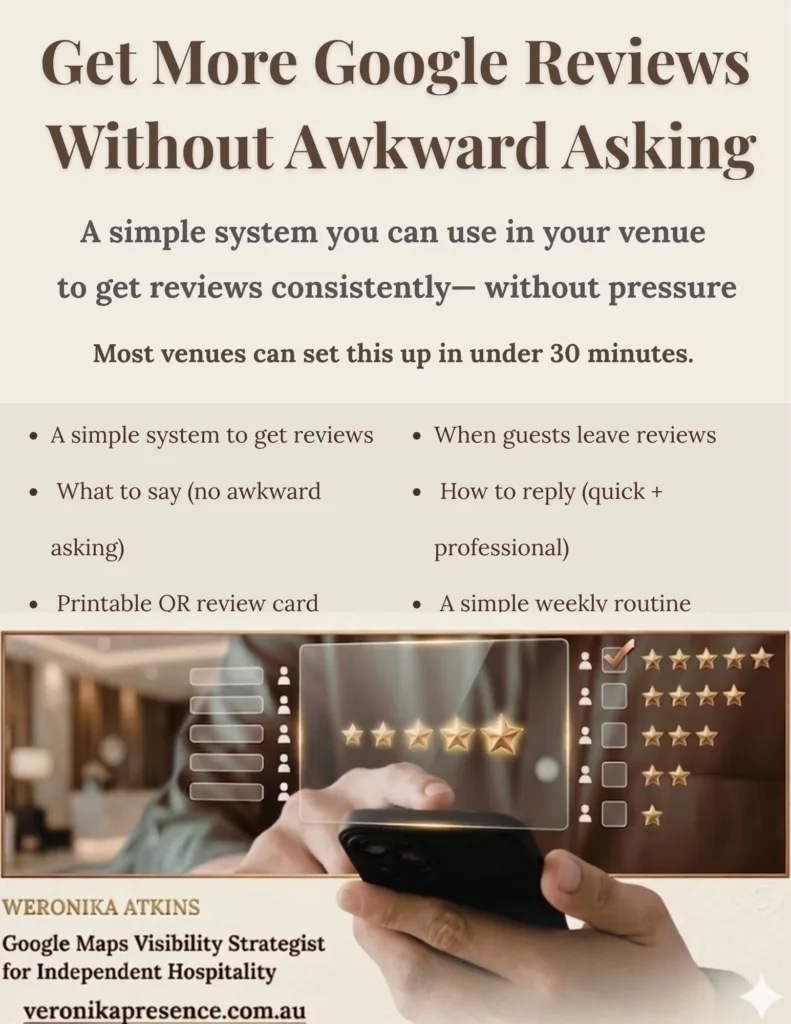
If you’re not sure how to respond to reviews, I’ve included simple guidance in this guide to help you reply clearly and professionally. Get More Google Reviews Without Awkward Asking
The reframe that matters most:
You are not competing with every restaurant in your area. You are competing with the 2–4 venues that end up on the same shortlist as you. The guest has already eliminated everyone else before they look closely at anyone. The question is whether your profile makes the shortlist — and whether it wins once it gets there. Both outcomes are determined almost entirely by your Google Business Profile.
A guest who has never visited your restaurant only knows what your profile tells them in the first 10 seconds. That profile is either building their confidence – or quietly losing them to the venue next door.
Frequently asked questions
How long does a guest spend choosing a restaurant on Google Maps?
Research suggests most guests make their shortlist within 5–10 minutes of starting a search. Within that window, each individual venue gets assessed in under 10 seconds – often faster. The cover photo, rating, and review count are processed almost simultaneously, before a single word is read.
Does a lower star rating hurt my chances of being chosen?
Not always, and not in the way most owners think. A 4.3 with 400 reviews is regularly chosen over a 4.8 with 12 reviews – because volume signals credibility. What hurts more than a lower rating is having very few reviews, no recent reviews, or unanswered negative reviews. Those are the signals that create hesitation.
What is the single most important thing on a restaurant’s Google profile?
The cover media (photo or video) — it forms the first impression in seconds.
Why does my restaurant appear in some Google Maps searches but not others?
Google determines which venues appear based on three factors: proximity (how close you are to the searcher), relevance (how well your profile matches what they searched), and prominence (how active and complete your profile is). The most common cause of inconsistent visibility is an incorrect or too-generic primary category. A restaurant set to “Restaurant” instead of “Italian restaurant” will miss most cuisine-specific searches.
Do guests really read owner responses to reviews?
Yes – and they draw specific conclusions from them. A guest who reads how an owner responded to a difficult review learns more about the character of the business than from any five-star review. A generic “thank you for your feedback” response is nearly invisible. A specific, personal response to a critical comment is one of the strongest trust signals available on a Google profile.
How often should a restaurant update its Google Business Profile?
At minimum, something should change on the profile once a month – a new photo, a Google Post, a response to a recent review. For seasonal menus, photos and descriptions should be updated each time the menu changes. The goal is a profile that always looks like it reflects the venue as it is today, not as it was when someone set it up two years ago.
Can I fix my Google Business Profile myself, or do I need a specialist?
Many of the fixes – updating hours, adding photos, responding to reviews, writing a better description – can be done by a venue owner with some time and guidance. The harder part is knowing what is actually wrong and what to prioritise. A free visibility check is a practical starting point: it looks at your profile from the guest’s perspective and identifies the specific issues worth addressing first.
Not sure how your profile performs through this four-step process? A free visibility check looks at your restaurant the way a guest would — from the outside, in the first few seconds.
Or you can review and improve your profile in one sitting with a structured checklist.